Here's a step-by-step guide to creating and claiming Giveaway on Bybit Indonesia.
Please note that the Giveaway feature is currently exclusively supported on the Bybit Indonesia App.
Create a Giveaway
How to Create Giveaway
View Your Giveaway History
Claim a Giveaway
How to Claim Gifts from a Giveaway
View Your Claimed Giveaway Details
Create a Giveaway
How to Create a Giveaway
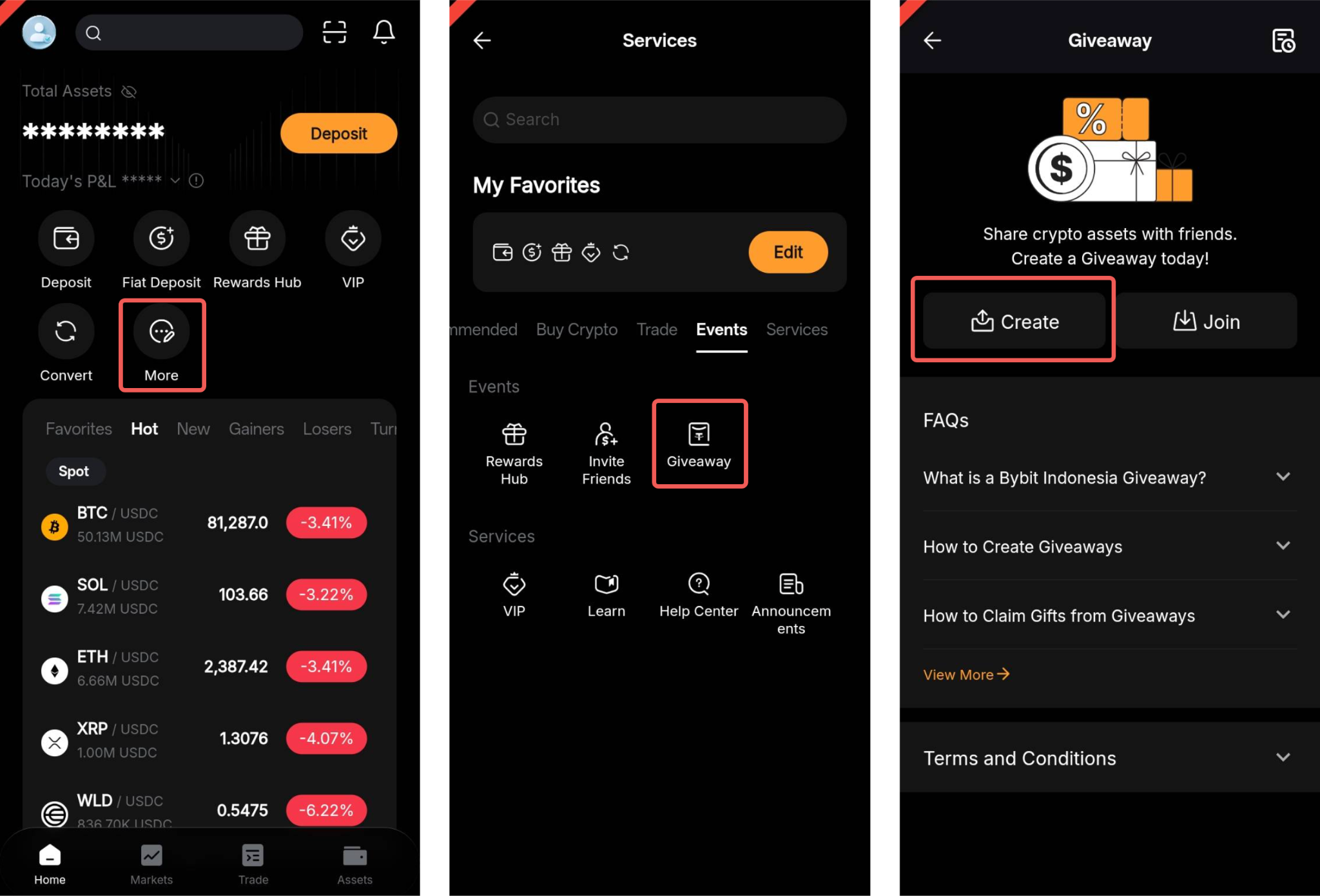
Step 1: On the App homepage of Bybit Indonesia, go to More → Giveaway. Then, tap Create to get started.
Step 2: Next, customize your Giveaway by using the following parameters:
a. Type: Choose to share your Giveaway in either Random Amount or Equal Amount options.
b. Max Participants: Choose the number of people who can claim amounts from the Giveaway
c. Giveaway Amount
Under Random Amount Type
- Total Amount: Specify the total amount you intend to distribute randomly in the Giveaway.
Under Equal Amount Type
- Amount Per Person: Enter the amount you wish to allocate to each participant. Participants will receive equal shares from the Giveaway.
d. Custom Message: An automated sentence will be generated based on your entered amount and the maximum number of participants. You're free to edit or replace it as necessary.
Please keep in mind that our system includes a sensitive word filter to prevent the use of inappropriate language.
Advanced Settings (Optional):
e. Participation Requirements: Choose between No Requirements, Referees Only, or New Users Only.
f. Require Passphrase: Decide whether to require a passphrase to claim amounts from the Giveaway. Please ensure that you share this passphrase carefully, as anyone with knowledge of this passphrase will have the ability to claim amounts from this Giveaway.
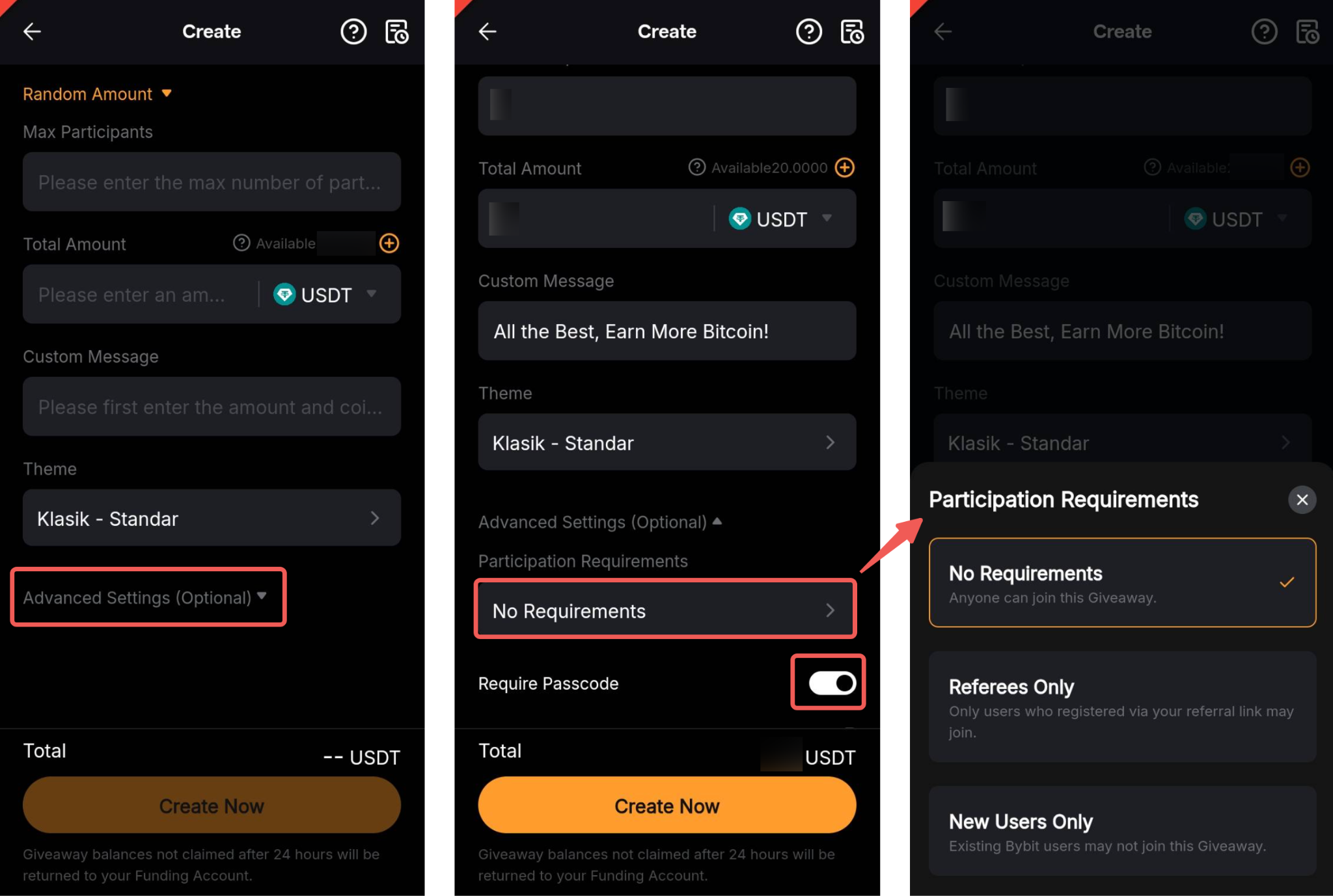
After configuring the settings, tap Create Now.
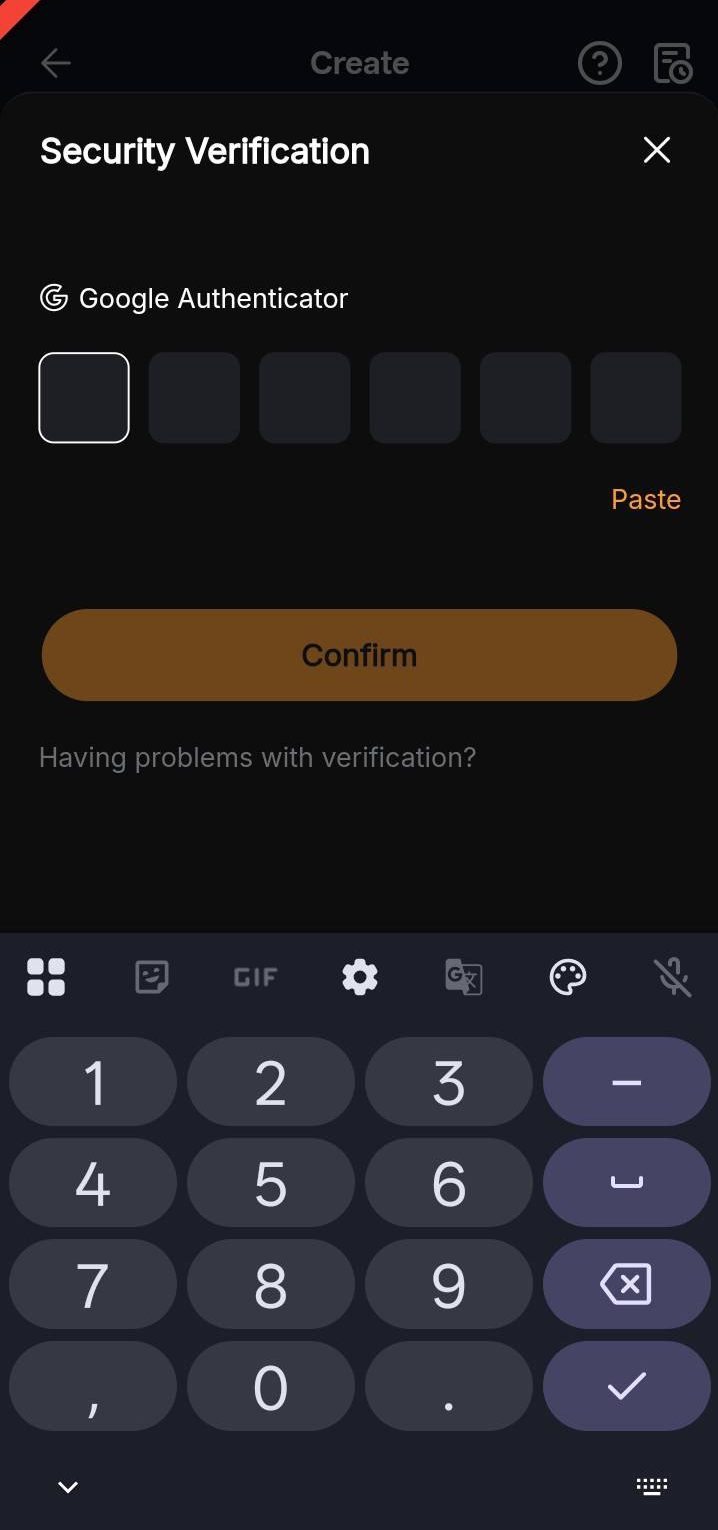
Step 3: A Security Verification page will appear. Enter the verification codes and tap Confirm to create the Giveaway.
Step 4: Once created successfully, your claim address and QR code will be automatically generated. Please ensure that all the Giveaway details are accurate before you save the image or tap Send Now to share the Giveaway link.
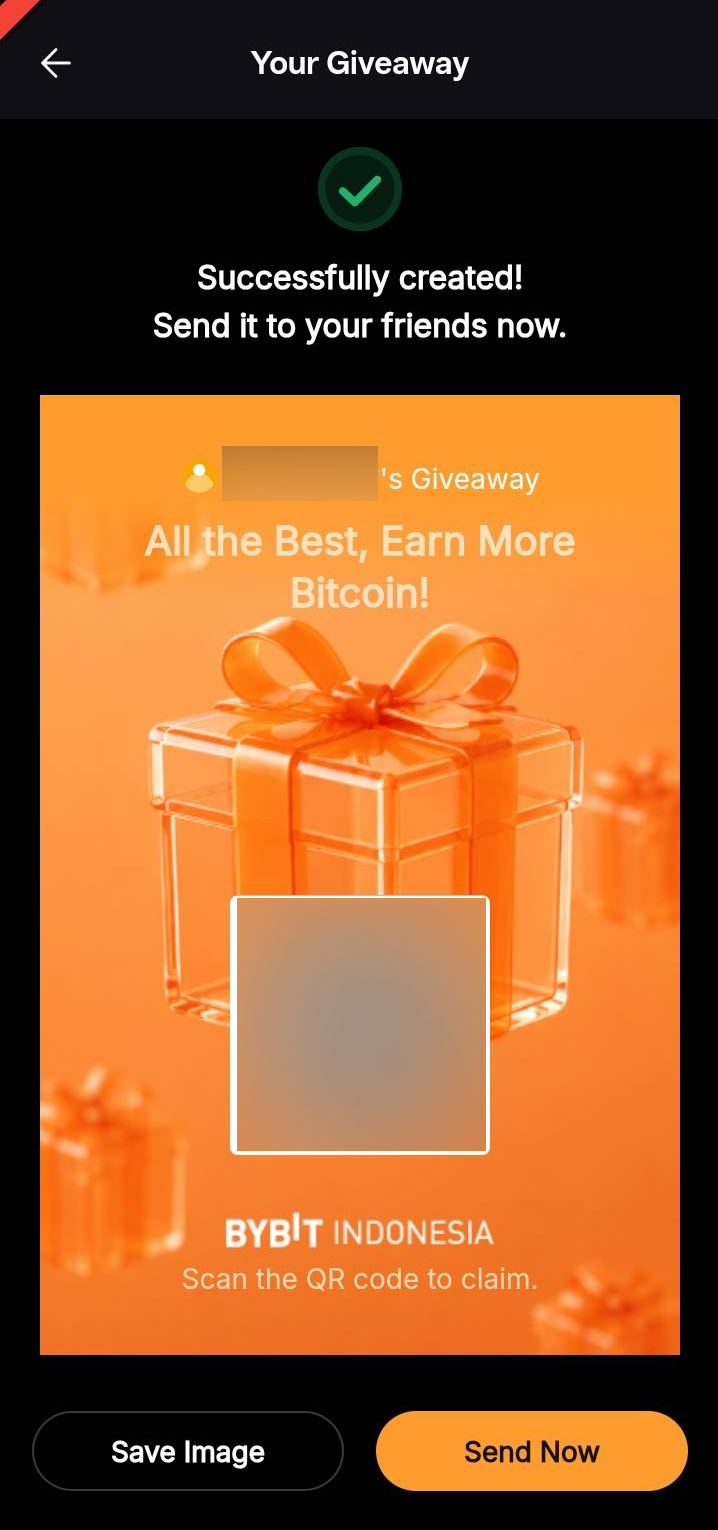
Please note that Giveaway balances not claimed after 24 hours will be returned to your Funding Account.
View Your Giveaway History
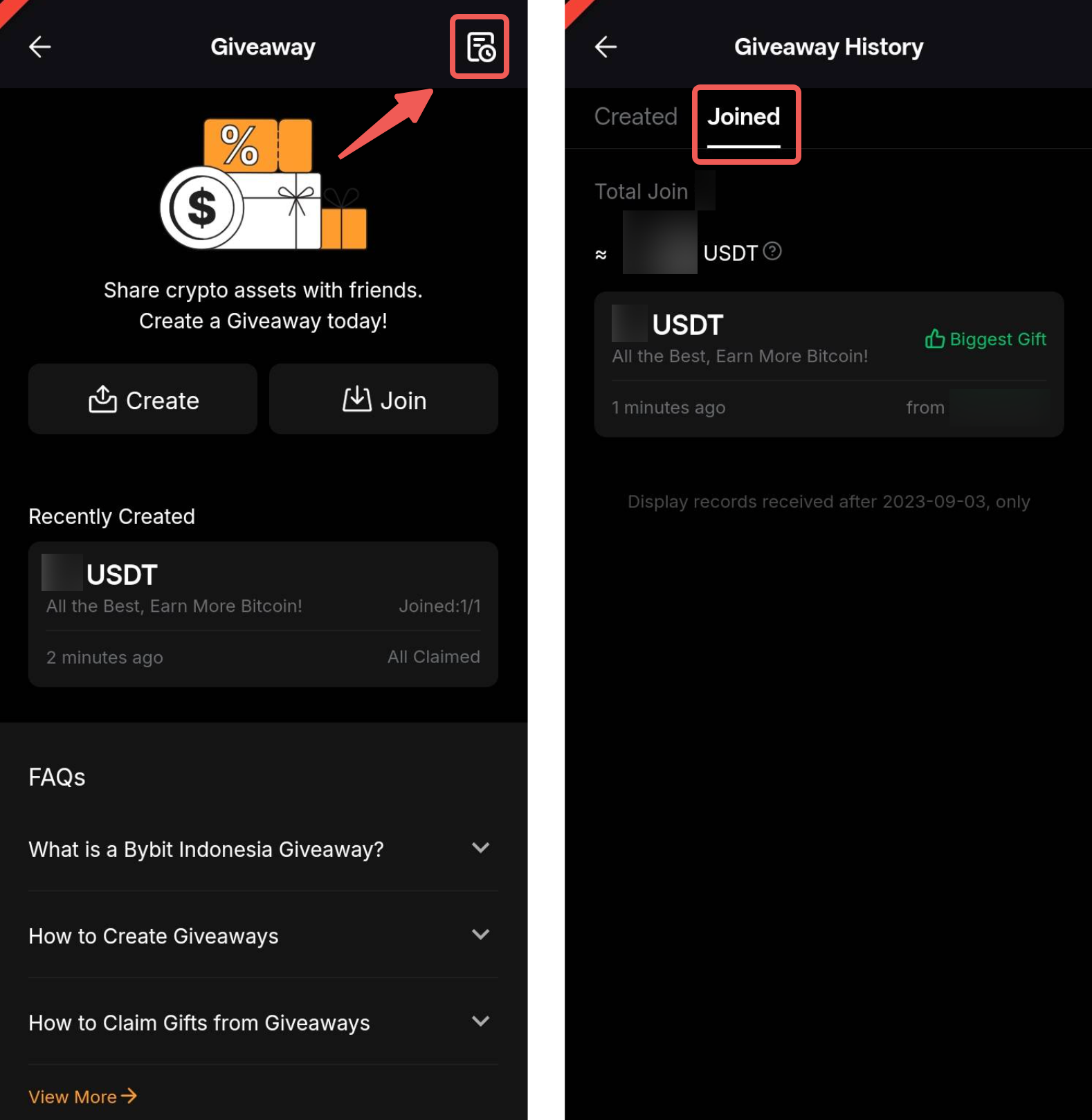
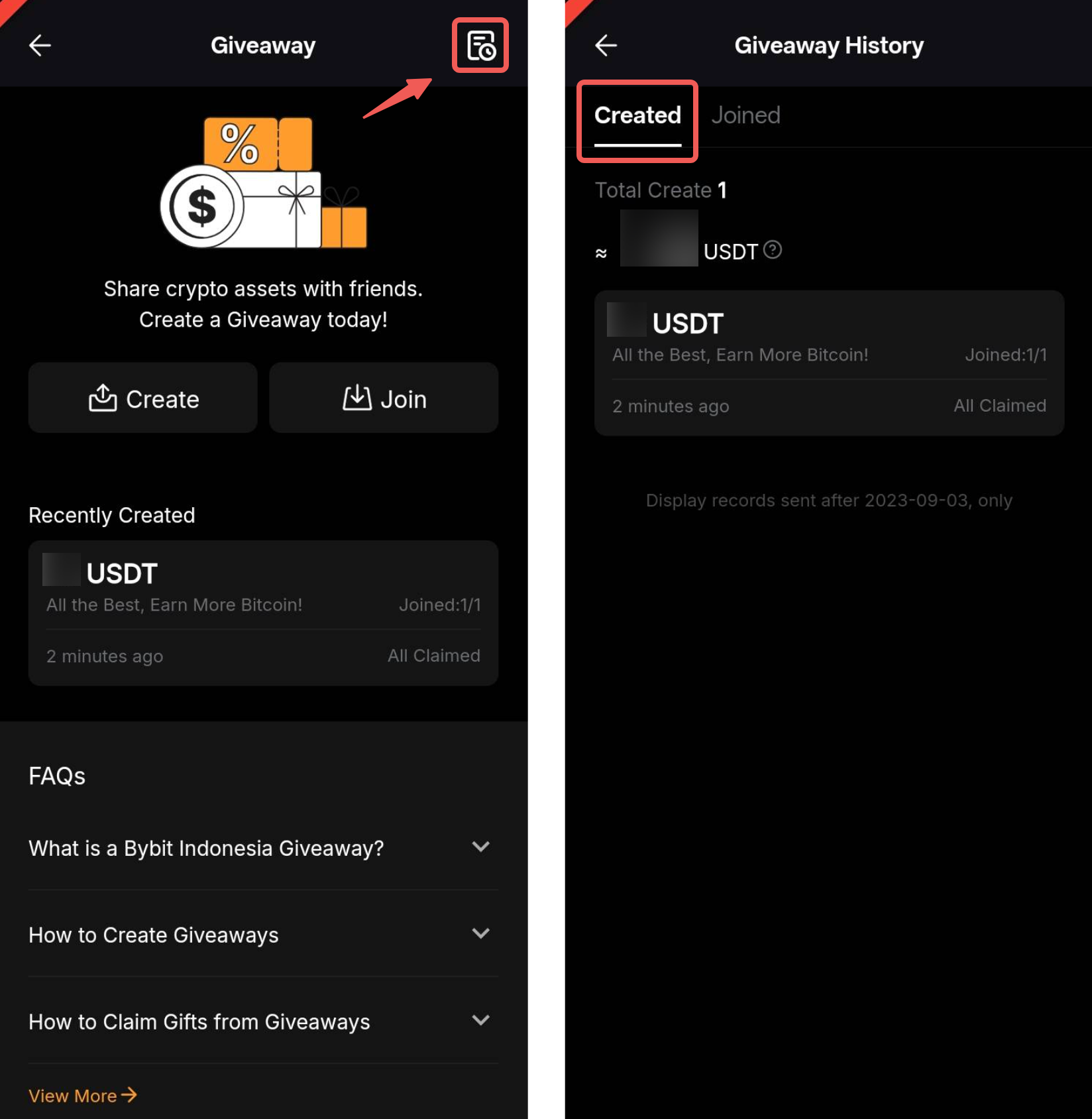
To access your Giveaway history, tap the History icon in the top right corner. Here, you can see the details under the Created section.
Claim a Giveaway
How to Claim Gifts from a Giveaway
Here's a step-by-step guide to claiming Giveaway on Bybit Indonesia.
Important Notes:
- If the creator sets participation requirements to New Users Only, only new users registered using an email address that has not been registered with Bybit Indonesia before can claim the giveaway. To receive your giveaway amount, please remember to register a Bybit Indonesia account within 30 minutes of claiming the giveaway.
- Unclaimed giveaway balances remaining after 24 hours will be returned to the creator's Funding Account.
- If your Identity Verification remains incomplete beyond 24 hours after claiming from the Giveaway, the amount will be returned to the original creator.
- Please be aware that the Giveaway feature is exclusively available on the Bybit Indonesia App.
Step 1: Claiming Gifts from a Giveaway
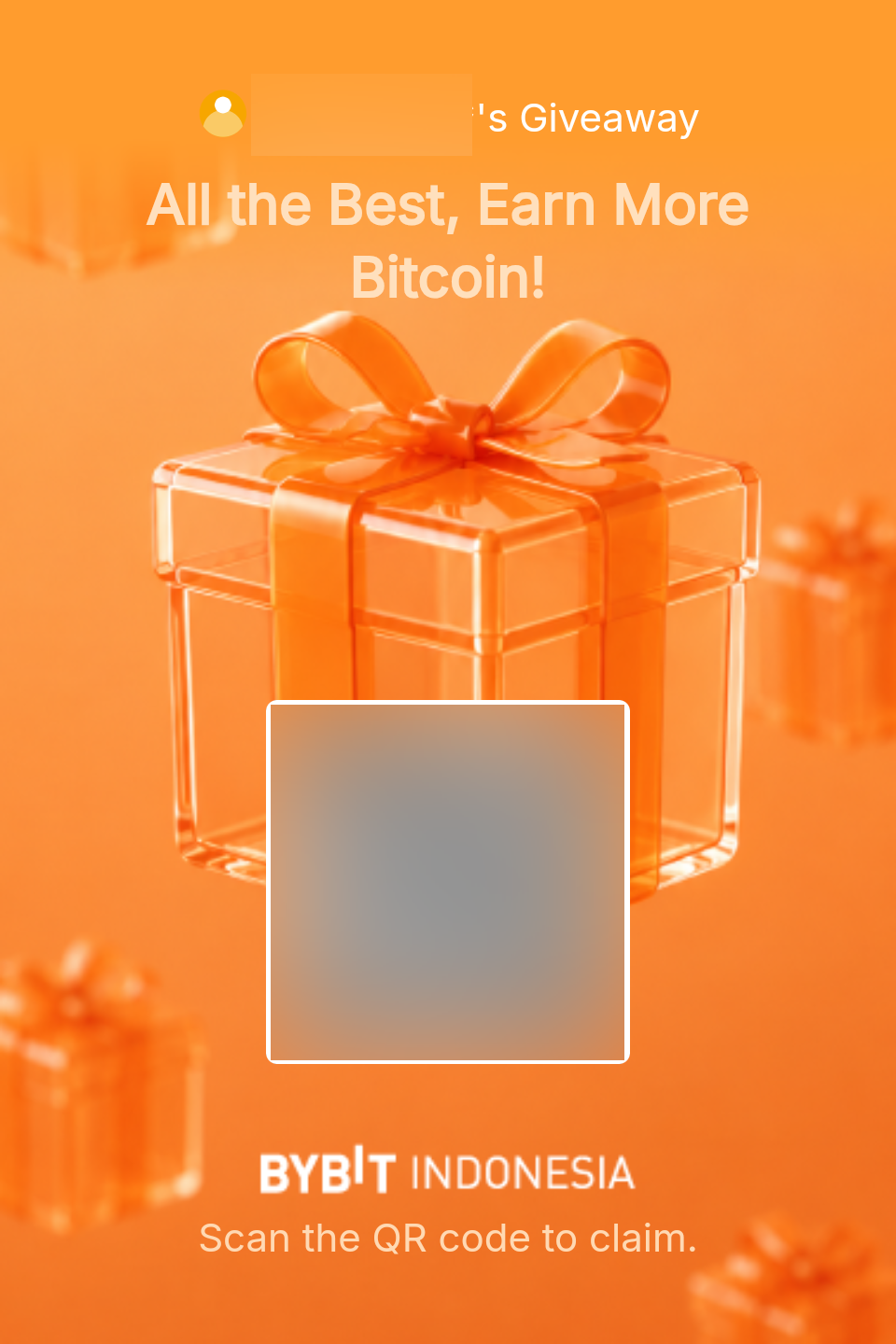
Claim Giveaway amounts by either tapping the provided link or scanning the QR code from the poster shared by the creator.
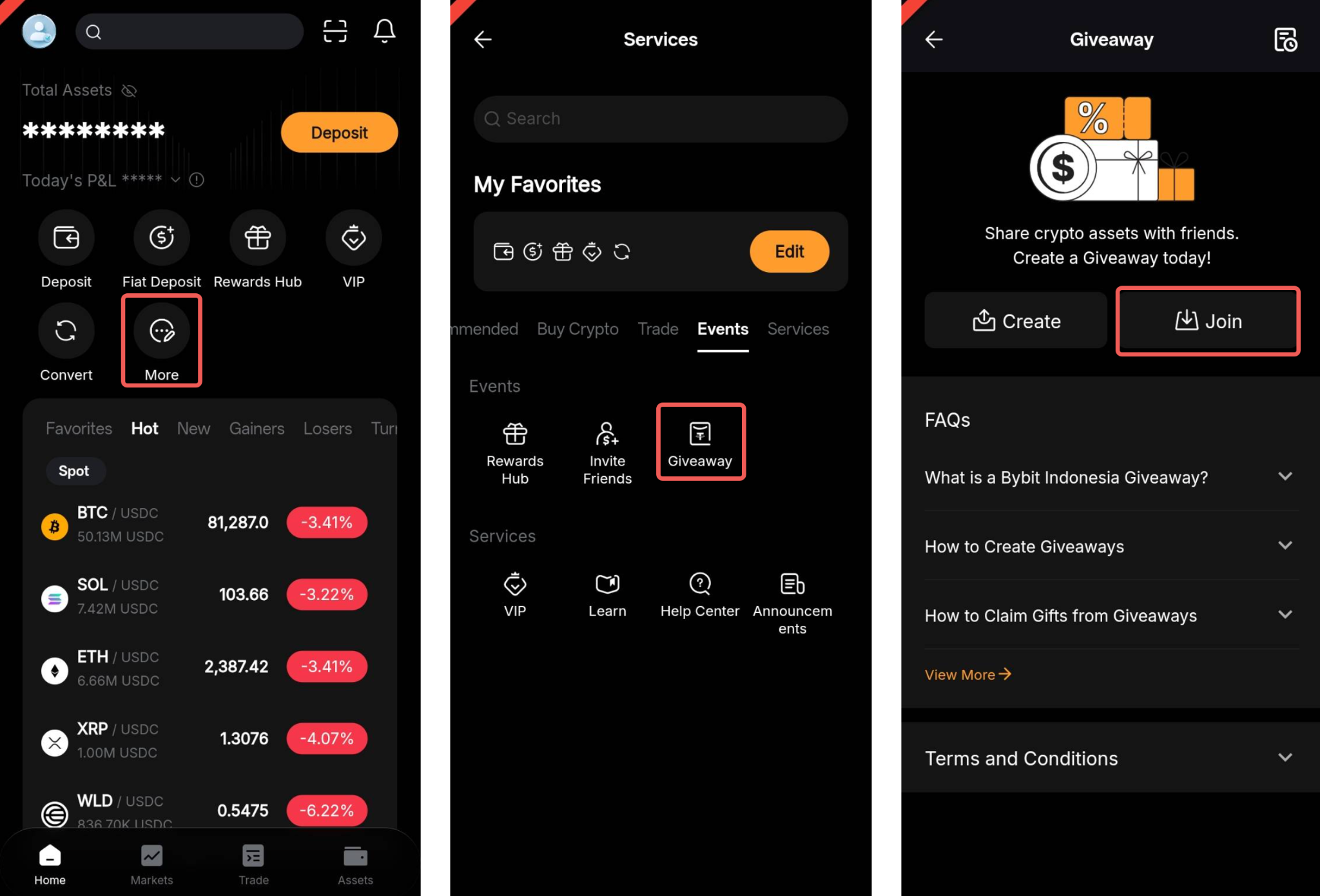
Alternatively, access the App homepage of Bybit Indonesia and tap More. From there, navigate to Giveaway and select Join Giveaway.
Step 2: Claiming Giveaway with a Passphrase
For Giveaway that involve a passphrase, you have two (2) options for claiming:
a. Enter the passphrase directly within the Bybit Indonesia App.
b. Alternatively, you can scan the QR code and then copy the passphrase. Afterward, simply tap Claim.
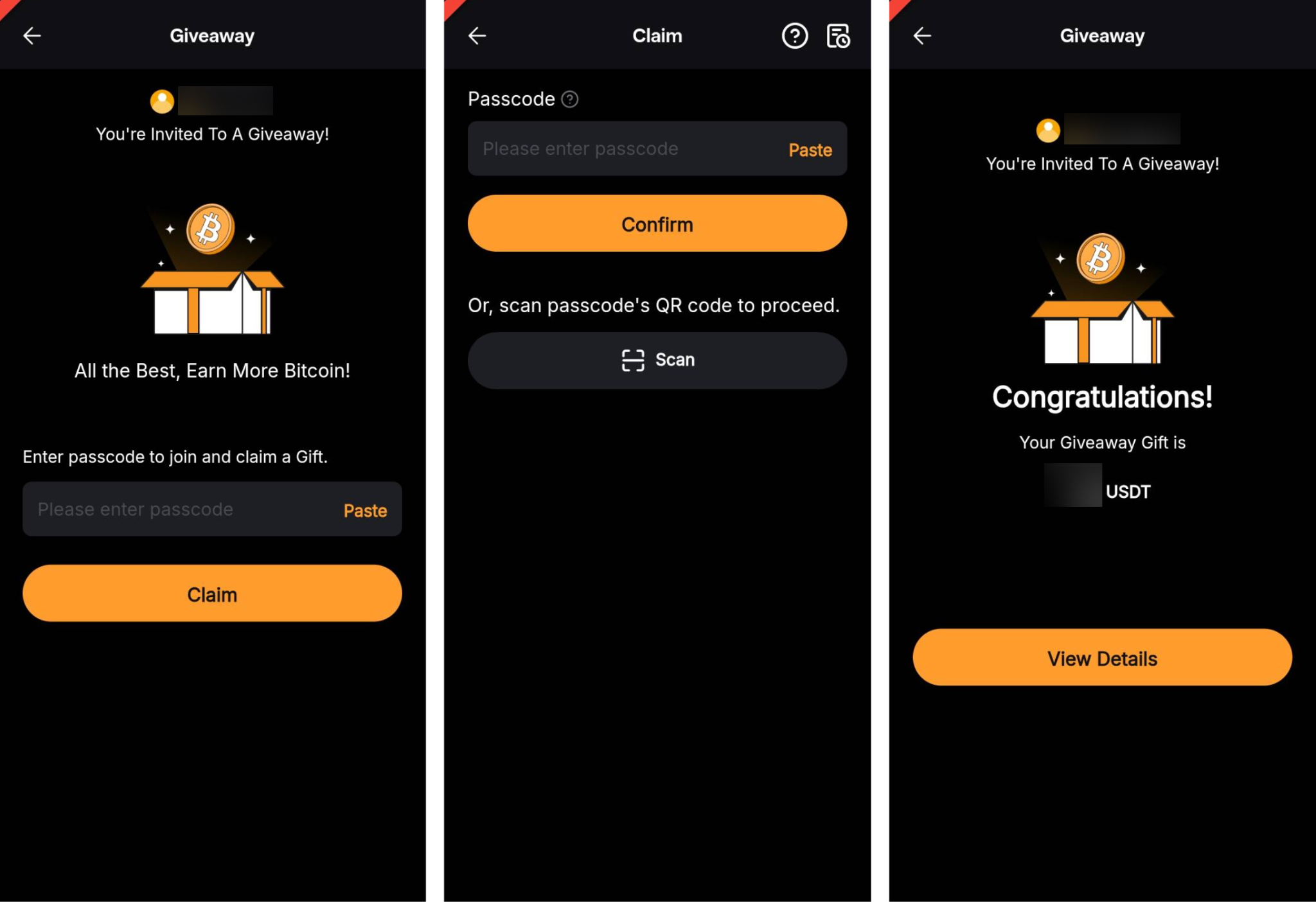
To ensure the safety of your account, always double-check that the domain of the Giveaway link is bybit.com to avoid any potential phishing websites.
View Your Claimed Giveaway Details
Access the specifics of your claimed gift by either:
a. Tapping View Details on the Giveaway Claim page.
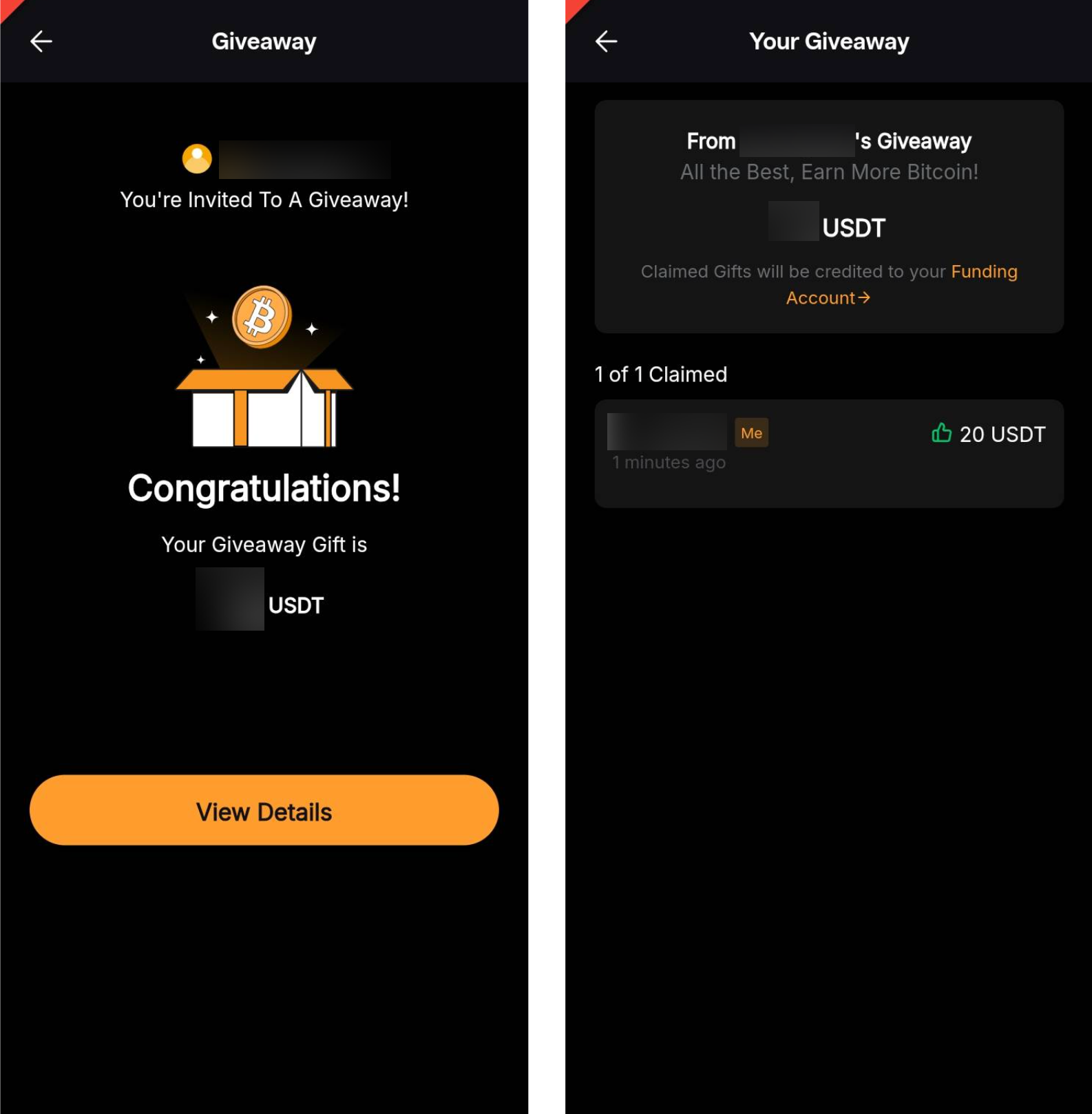
b. Tapping the History icon on the Giveaway page to see the details listed under the Joined section. To check your claimed amount, access your Funding Account by tapping Assets at the bottom of the Bybit Indonesia App, and then select Funding.