Bybit Indonesia provides a simple and convenient way for users to submit inquiries and receive support. Follow the steps below to ensure a smooth process and timely resolution of your inquiry.
How to Submit a Ticket
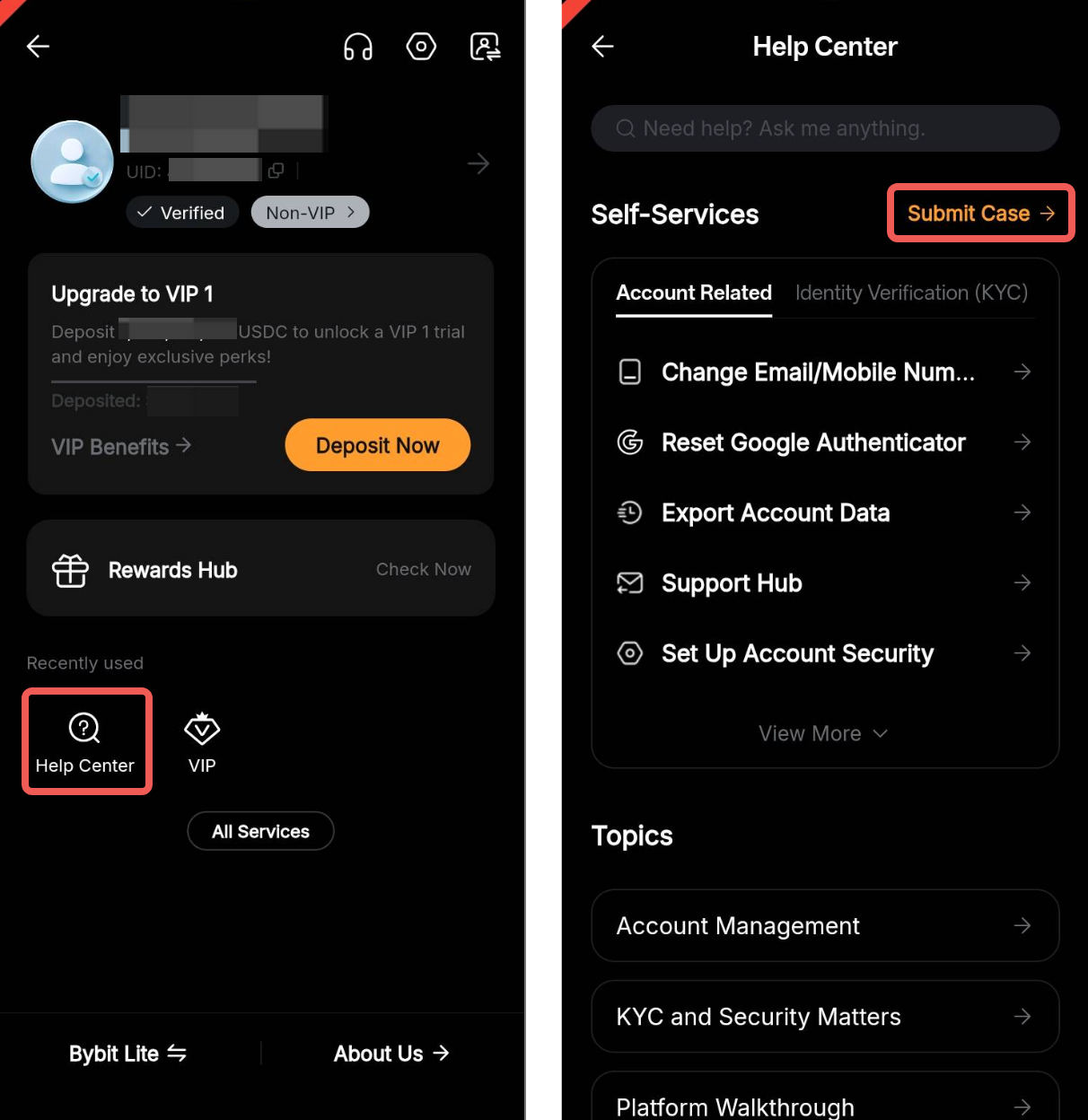
Step 1: Go to your Profile → Help Center and tap Submit Case.
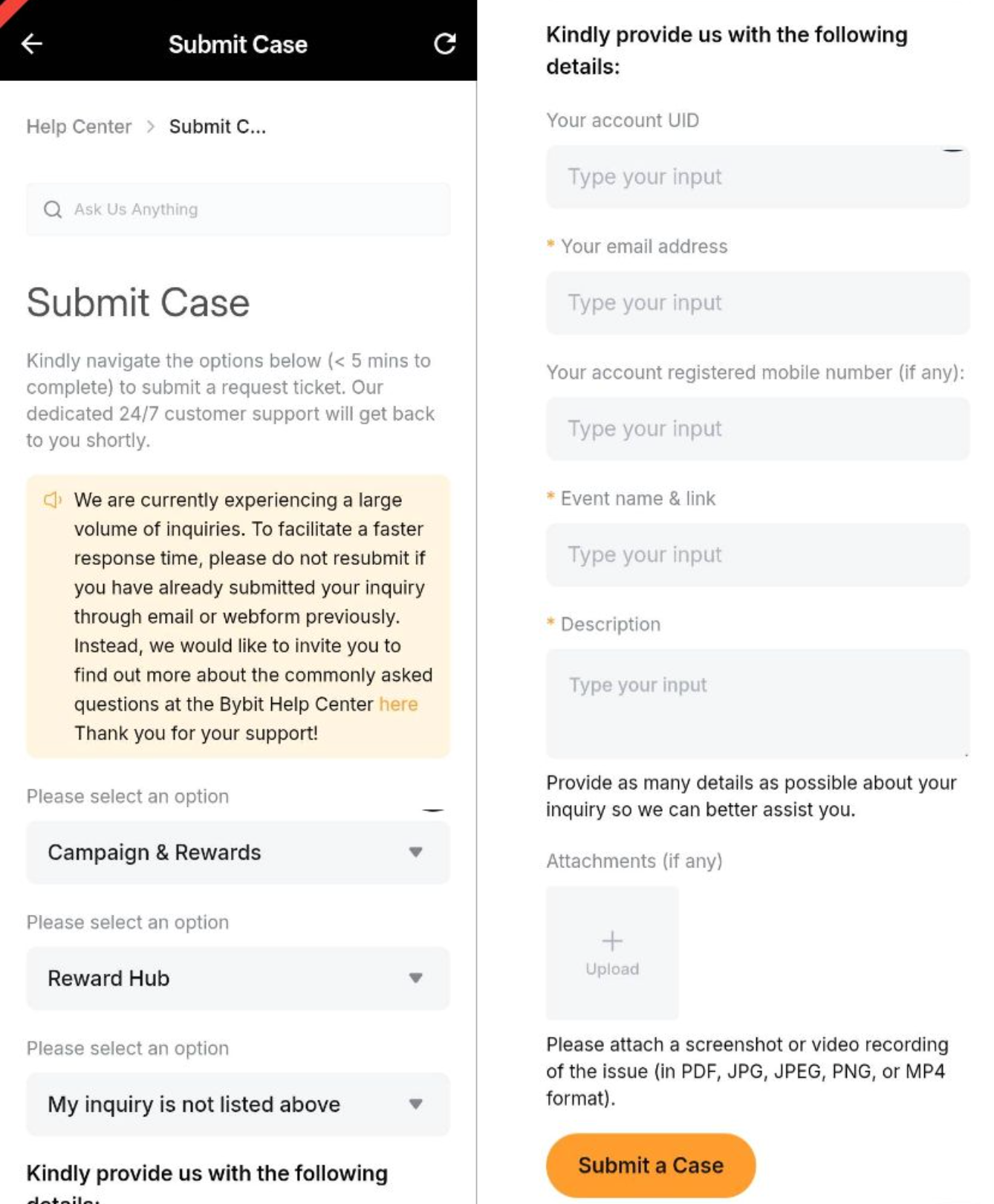
Step 2: On the Submit Case page, select the category that best fits your inquiry. Then, provide the following details:
- User ID (UID): Your unique Bybit Indonesia account identifier.
- Contactable Email Address: Make sure to input a valid email to receive updates.
- Detailed Issue Description: Clearly explain the issue with as much detail as possible.
- Attachments (if applicable): Upload supporting documents, such as screenshots or transaction records.
Important: Avoid submitting duplicate requests, as this may delay the response time.
After submitting your request, you will receive an auto-generated email with a confirmation and case number. The Customer Support Team will review your inquiry and respond within 3 to 7 working days.
How to Track Your Support Ticket’s Status
After submitting a support ticket, you can use the Bybit Indonesia Support Hub to monitor its status in real-time without relying solely on email notifications. This centralized dashboard shows all your open cases, updates, and allows direct interaction with our support team.
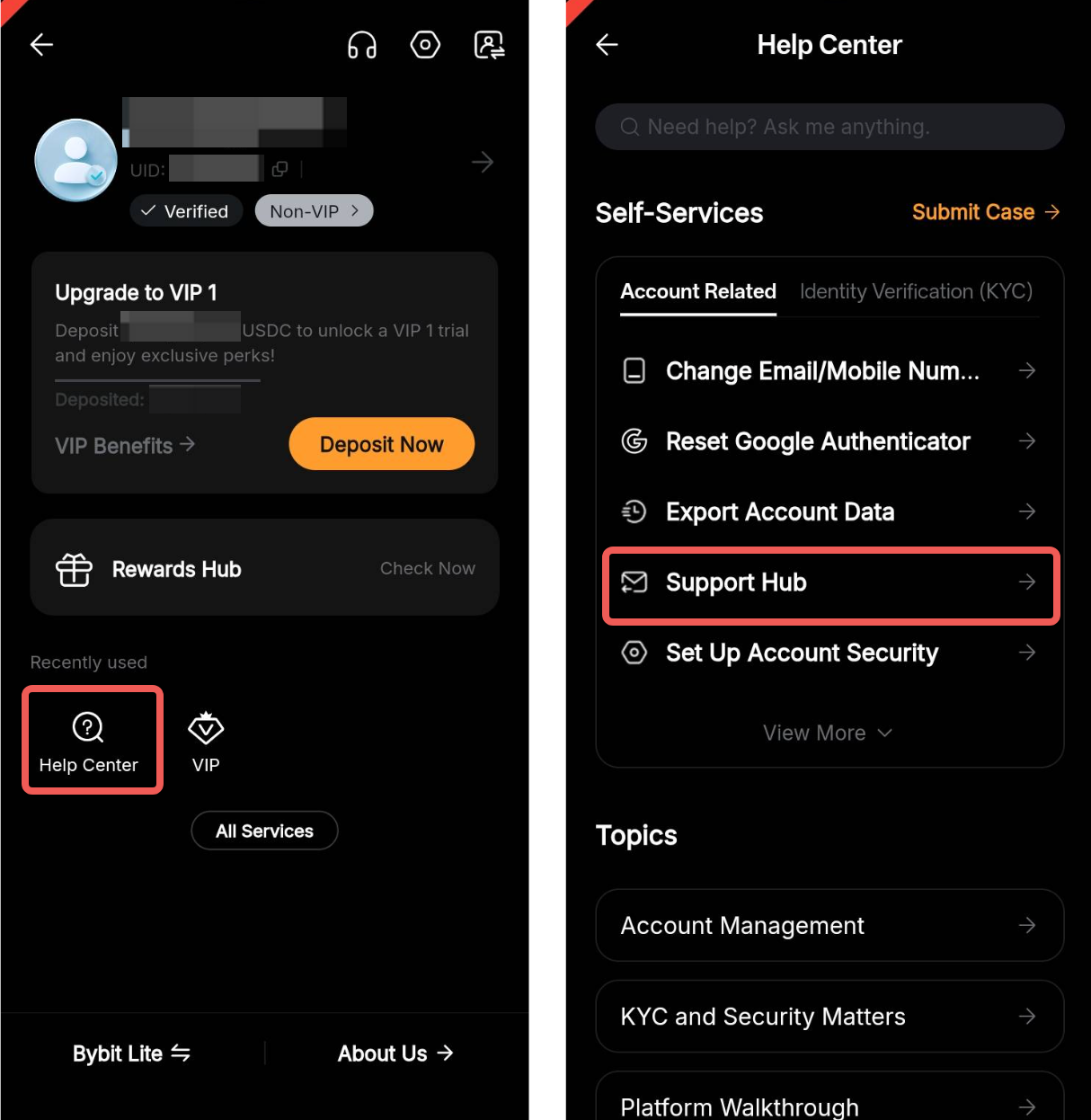
Step 1: Visit the Bybit Indonesia Help Center and select Support Hub.
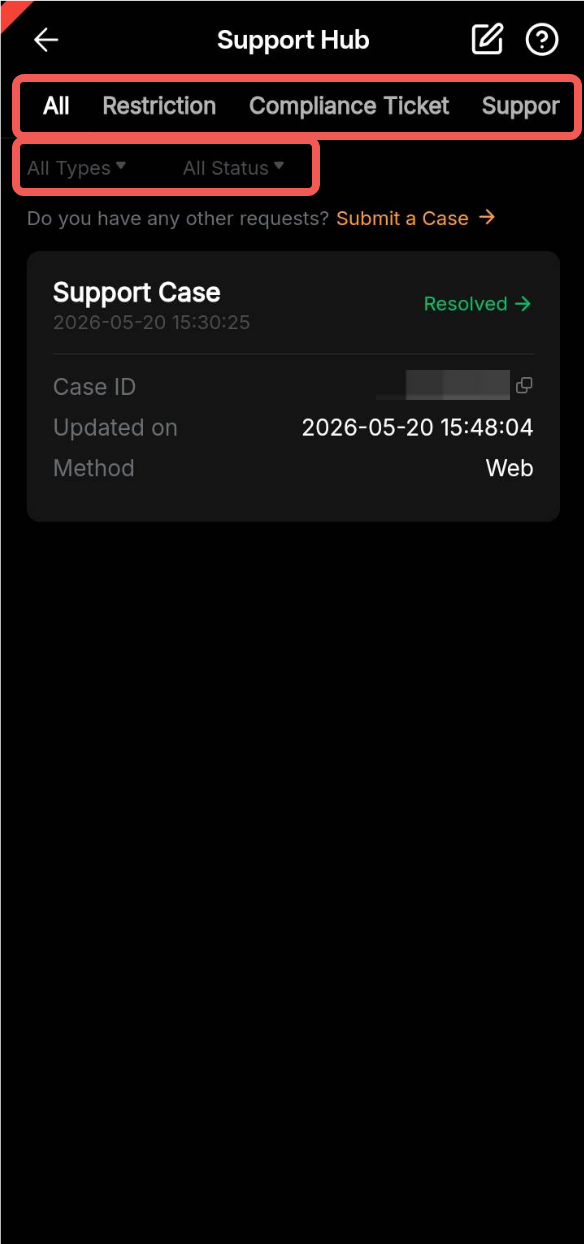
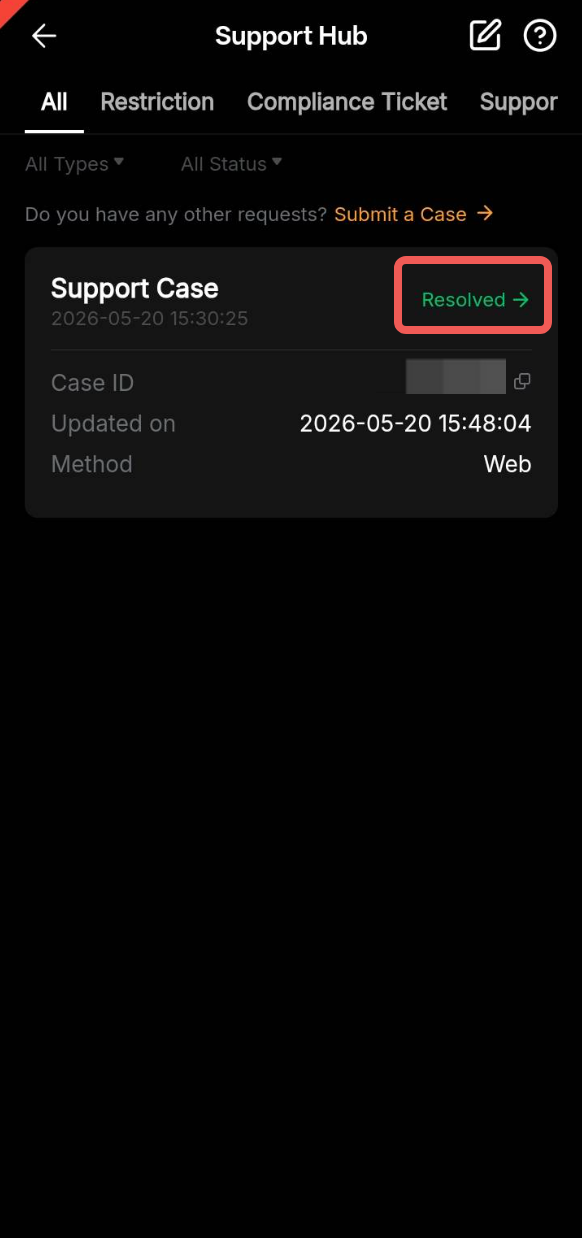
Step 2: Find your ticket using the different filters available.
- Tabs: Choose the specific type of cases you want to view, such as Deposit, Withdrawal, and Support Case, or select All to see all the tickets you submitted.
- Filters: Use the type and status filters to find your ticket more easily.
Step 3: Once you have found the relevant ticket, tap the Case Status to see more information about the case you submitted.
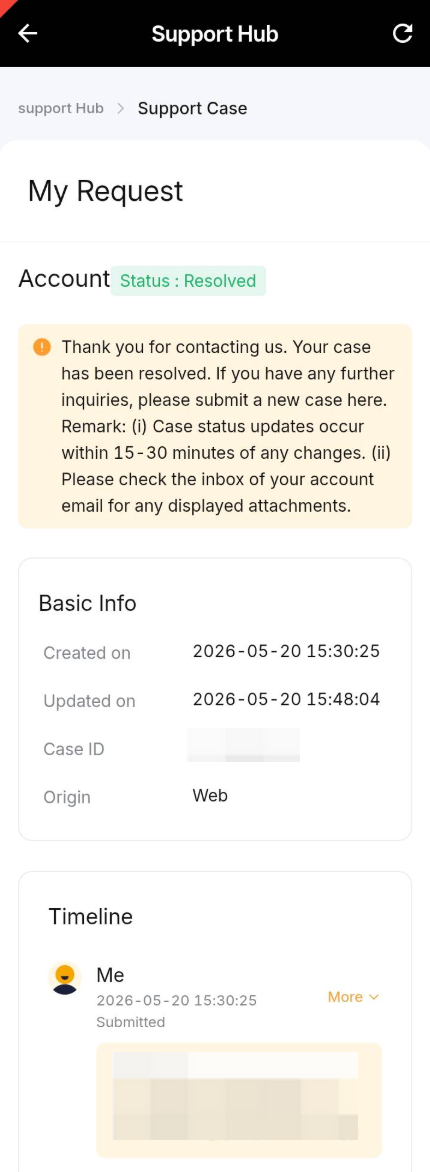
The Details Page will show everything about your case such as:
- The current ticket status,
- General ticket information like the case ID or the creation date,
- A message from support indicating when the next update can be expected,
- The timeline of your case with your messages and any updates, so you can easily track your request.
For further assistance, visit the Bybit Indonesia Help Center, or contact our Hotline number at +62 21 5060 5161.