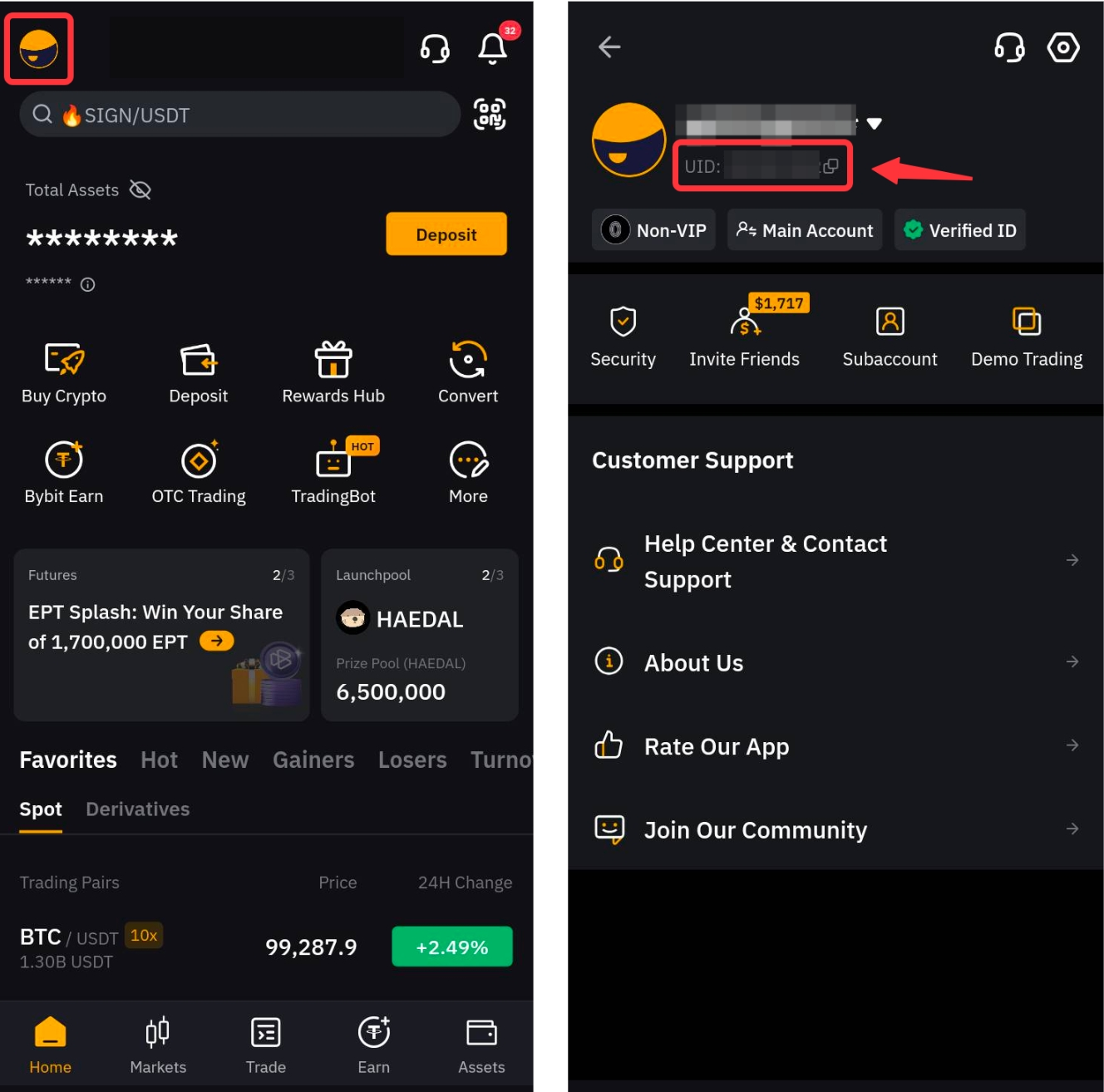
To check your account UID using App, launch the Bybit Indonesia App. At the bottom left corner, select Home, and select the Profile icon from the upper left corner. You will be able to see your UID at the top left corner of the profile page.
You have successfully located your account UID!