
How to sign up for Bybit Indonesia
AI Summary
Show More
Quickly grasp the article's content and gauge market sentiment in just 30 seconds!
Starting your crypto journey in Indonesia is easier than you think. Bybit Indonesia offers a seamless platform to buy and sell digital assets with high liquidity. This guide helps you create an account and start trading in minutes.
Why you should choose Bybit Indonesia
Bybit Indonesia provides a world-class experience for traders in Indonesia. You can access many features designed to help you succeed. Here are some benefits of using the platform:
High liquidity for faster transactions
Strong security to protect your assets
How to create a Bybit Indonesia account
Creating a Bybit Indonesia account is simple. You can sign up using an email address or phone number. You can also register through the official website or the Bybit App.
Bybit Indonesia suggests completing Identity Verification to enjoy all products. Completing the know your customer (KYC) process lets you claim a $20 USDT bonus. You must check your identity within seven days of signing up. The KYC process is fast and easy. You only need an official ID and a selfie
Sign up through the Bybit Indonesia website
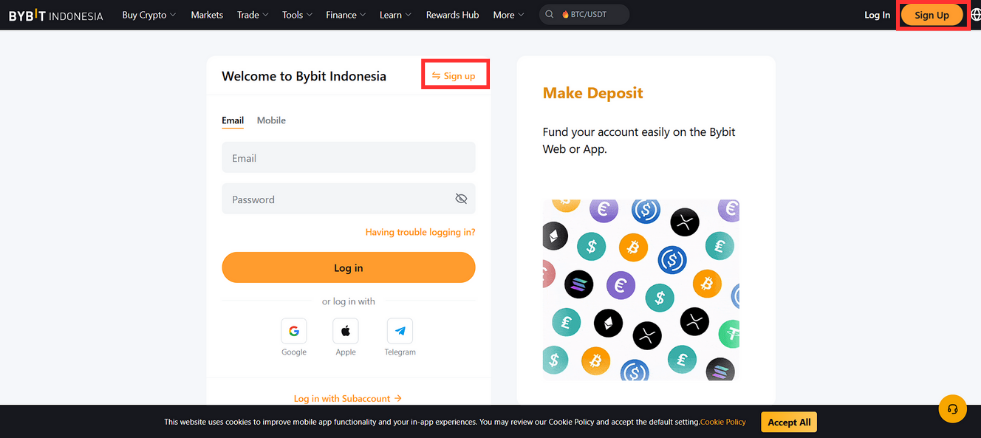
Step 1: Visit the Bybit Indonesia platform
Go to the official Bybit Indonesia website. Click on the Sign Up button in the top-right corner of your screen.
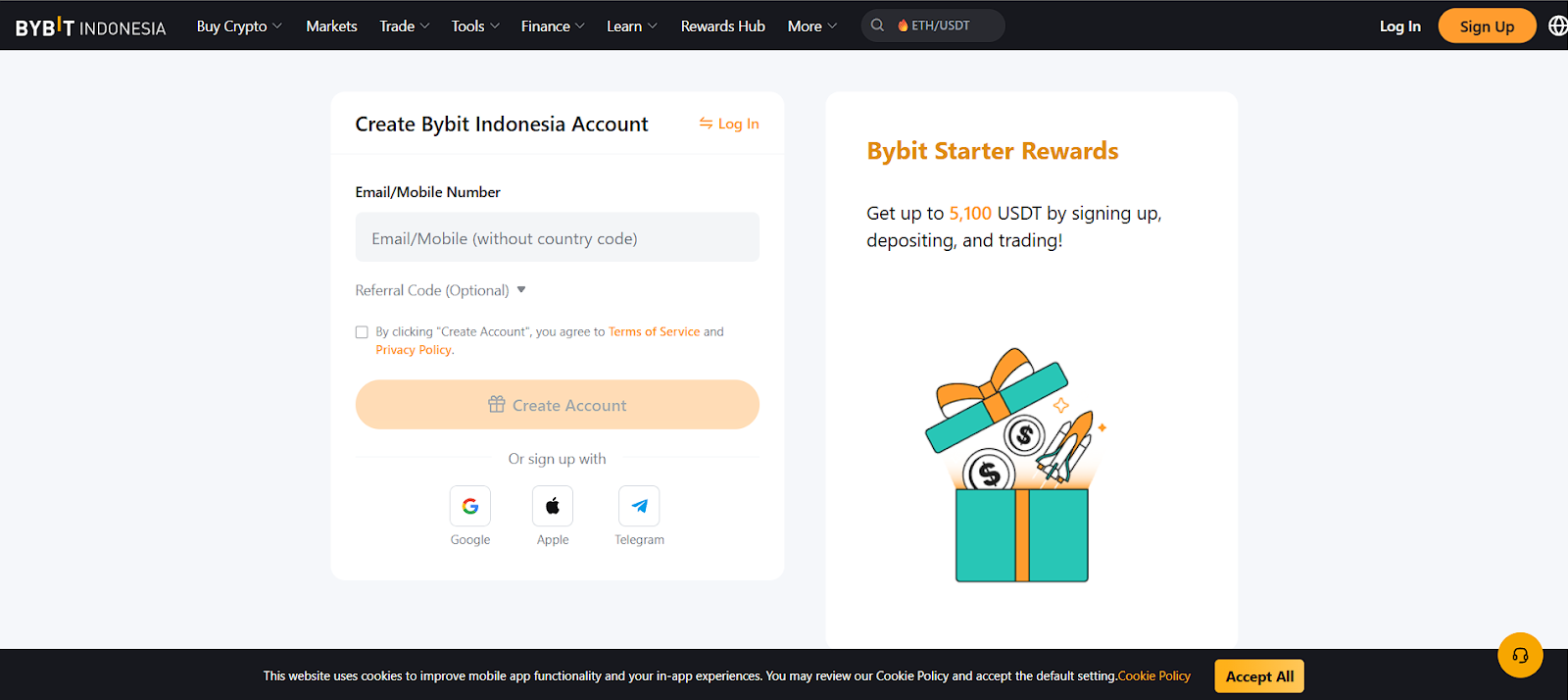
Step 2: Enter your account details
Enter your email address or mobile number. Enter a referral code, if you have one, to claim extra rewards. Click on the Create Account button to submit your details.
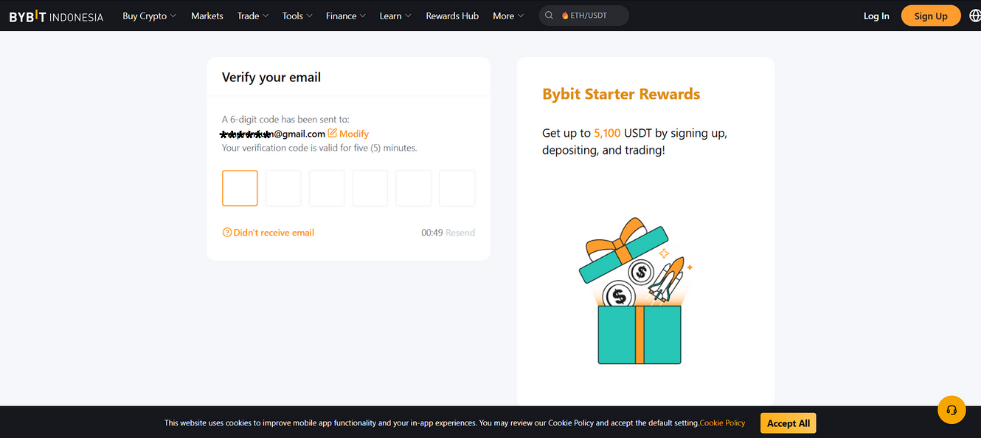
Step 3: Check your email or phone
Bybit Indonesia will send a six-digit code to your email or phone. Check your inbox and enter the code in the boxes.
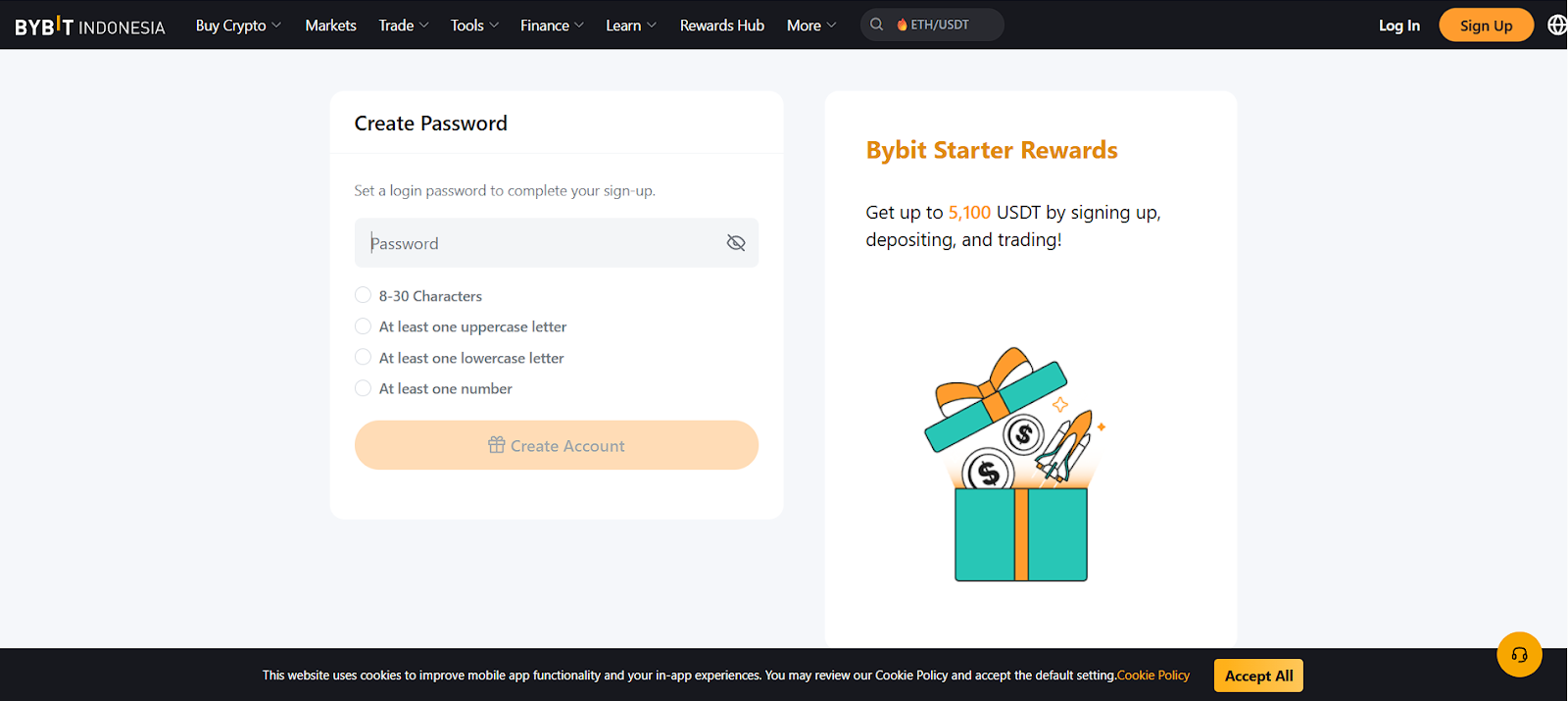
Step 4: Create a secure Bybit Indonesia password
Create a strong password to keep your account safe. Tap on the Sign up now button to continue.
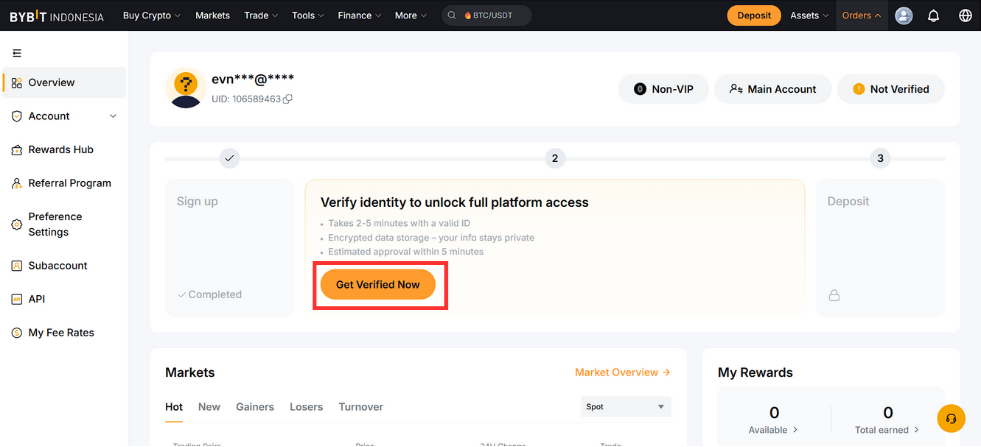
Step 5: Complete your account registration
Your Bybit Indonesia account registration is complete. You can now log in to your account dashboard. Bybit Indonesia suggests completing Identity Verification so that you can use all features.
Sign up through the Bybit Indonesia App
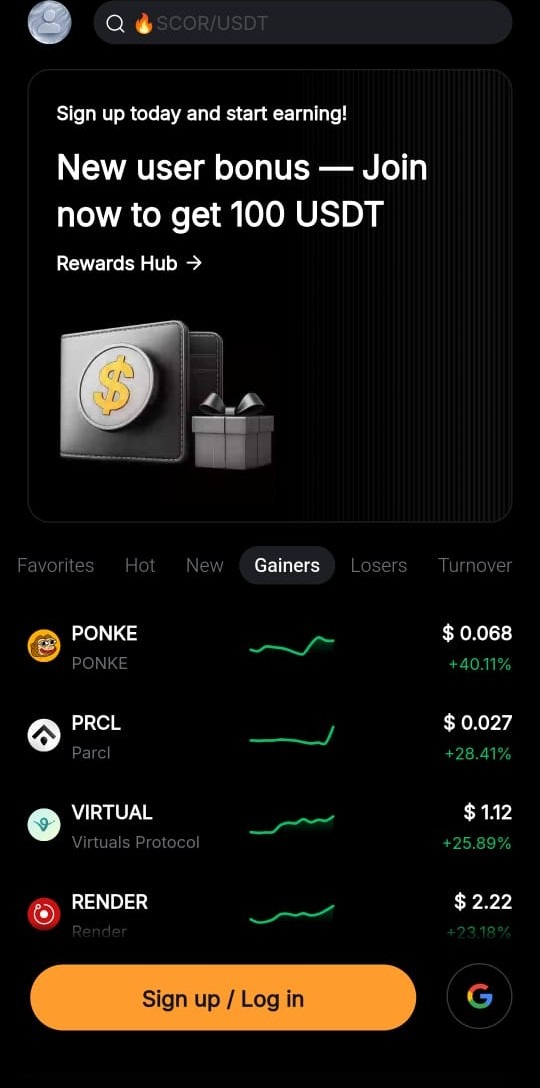
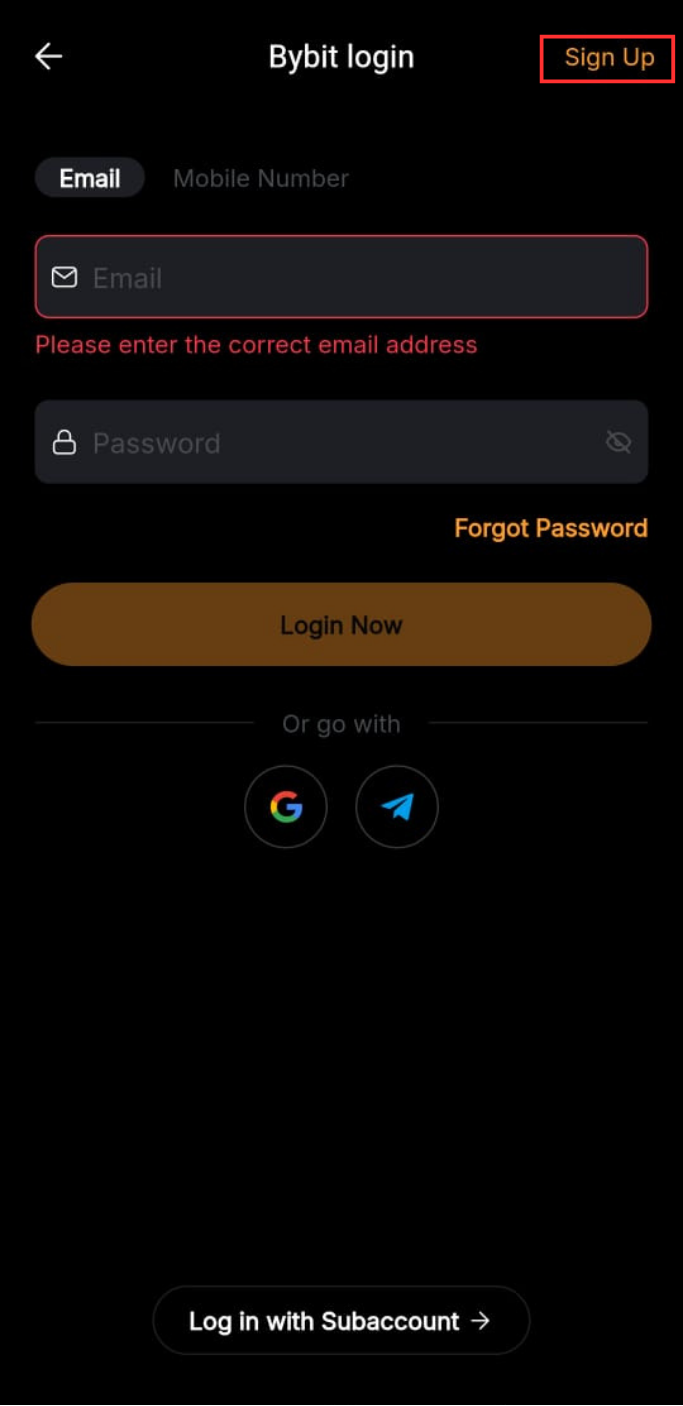
Step 1: Download and open the Bybit Indonesia App
Download the Bybit Indonesia App from the Google Play Store or App Store. Open the App and tap on the Sign up/Log in button. Tap on the Sign up button in the top right corner to start.
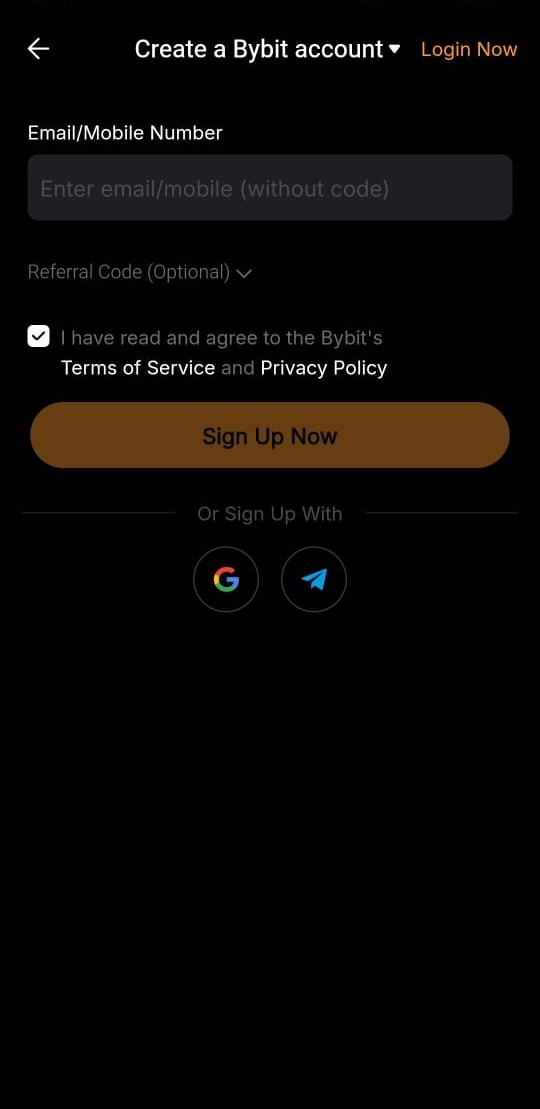
Step 2: Enter your registration details
Tap on the Create account button to start. Enter your email or mobile number on the form. Enter your referral code now if you have one. Tap on Sign Up Now to continue to the verification stage.

Step 3: Check your account
Bybit Indonesia will send a six-digit code to your email or phone. Check your inbox or texts, and enter the code in the boxes. Make sure you enter the code before it expires.
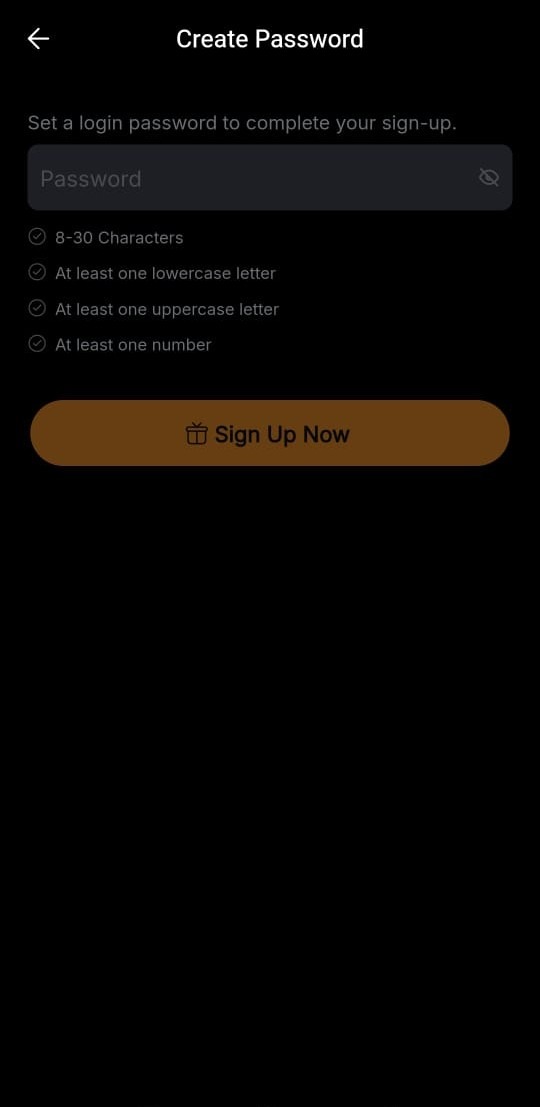
Step 4: Create a secure Bybit Indonesia password
Choose a login password to complete your sign-up. Your password must be between eight and 30 characters and feature at least one uppercase letter, one lowercase letter and one numeral. Tap on Sign Up Now to continue.

Step 5: Finish signing up on the App
Your registration is finished once you’ve entered your code and password. You’ll see the welcome screen on the App. Bybit Indonesia requires Identity Verification to enable all features. Next, check out our full guide on how to complete KYC.