What is Crypto Spot Trading?
Crypto Spot trading is a transaction between buyers and sellers to trade one cryptocurrency for another at the current market price.
Taking BTC/USDT as an example, the price of the trading pair represents how many units of USDT need to be paid to buy 1 BTC, or how many units of USDT can be obtained by selling 1 BTC.
What are the transaction fees for Bybit Indonesia’s Spot trading?
Bybit Indonesia charges a Spot trading fee as well as CFX and Tax fees for every executed order. There is no trading fee for unfilled parts of orders and cancelled orders.
For more details, please refer to Spot Trading: Fees Explained.
What is Maker/Taker?
Traders preset the quantity and order price and place the order into the order book. The order waits in the order book to be matched, thus increasing the market depth. This is known as a Maker, which provides liquidity for other traders. A Taker occurs when an order is executed instantly against an existing order in the order book, thus decreasing the market depth.
Which account should I transfer my funds into to perform Spot Trading?
Please transfer your funds into the UTA to carry out Spot Trading.
How do I deposit funds to my Unified Trading Account?
There are two (2) primary methods you can use to deposit funds into your Unified Trading Account:
- Deposit: If your account currently doesn't hold any crypto assets, you can perform a direct deposit of funds.
- Fund Transfer: If you have another account with funds, you can transfer them to your Unified Trading Account.
Please refer to the following articles for detailed instructions on how to make a deposit or transfer assets:
What order types does the Spot market support?
In the Spot Market, various types of orders are supported. These include: Market Order, Limit Order, Conditional Order, and TP/SL Order. For more detailed information about these order types, please visit this article.
Where can I check the average Buy and Sell prices for my spot trading orders?
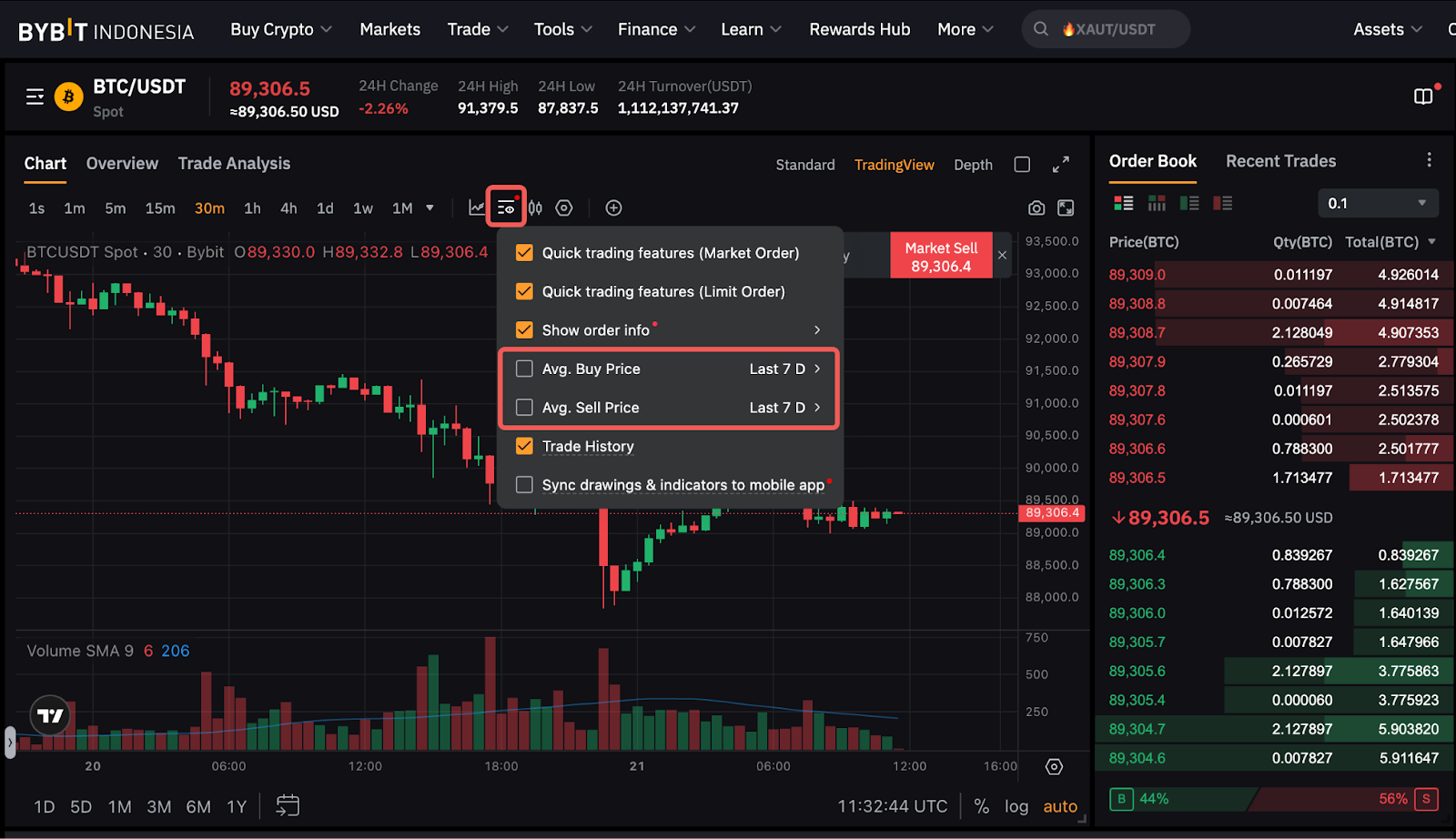
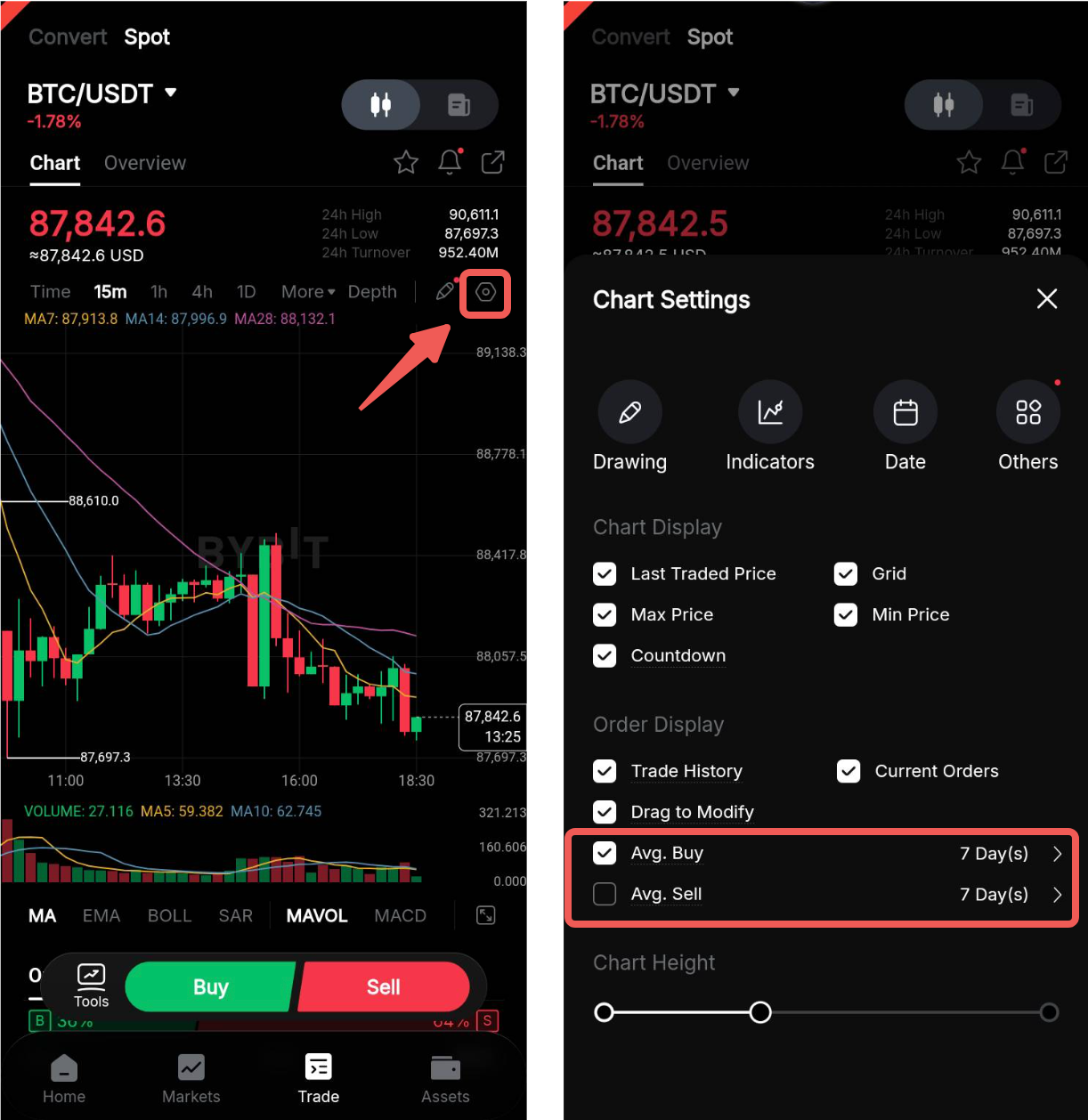
When trading on Spot, you can display the average price of your Sell and Buy orders directly on the trading chart. To activate it, click on the Display icon and tick the average price you would like to see. You can also select the period on which the average will be calculated (last 7, 30, 60 or 90 days). Please note that the average price will be calculated from the current day to the last day of the selected period.
On the website
On the app
Why can't I enter the quantity (or value) of cryptocurrency that I wish to purchase (or sell) when using Market Buy (or Sell) Orders?
Market Buy and Sell Orders are filled with the best available price in the order book. Hence, it would be more accurate for traders to fill in the amount of assets (base or quote token) they wish to use to purchase or sell the cryptocurrency, instead of the amount of cryptocurrency to purchase.
Are there any trading limits for Bybit Indonesia spot trading?
Yes. For more information, please refer to Bybit Indonesia Spot Trading Rules.
Is there a maximum amount of assets I can hold after purchasing from the Spot market?
There are no imposed maximum limits on the amount you can hold.
How many orders can a trader be placed at most?
— A maximum of 500 active orders can be placed, of which the latest 50 orders will be displayed in the order records zone.
— Up to 10 conditional orders can be placed, and all orders will be displayed in the position tab.
Is there a minimum/maximum order limit on trading volume per transaction?
Yes. Please refer to the Bybit Indonesia Spot Trading Rules.
Can I conduct Spot Trading through my Subaccount on Bybit Indonesia?
Yes, you can perform Spot Trading through your Subaccount on Bybit Indonesia. However, please ensure that the Unified Trading Account of your Subaccount has sufficient funds before you begin Spot trading.
To transfer funds to your Subaccount, please navigate to Account & Security located in the upper right-hand corner of the Bybit Indonesia page. From there, select Subaccount and proceed to Transfer Assets to move funds to your respective Subaccount. For more details, please refer to this article.
How do I view my order history?
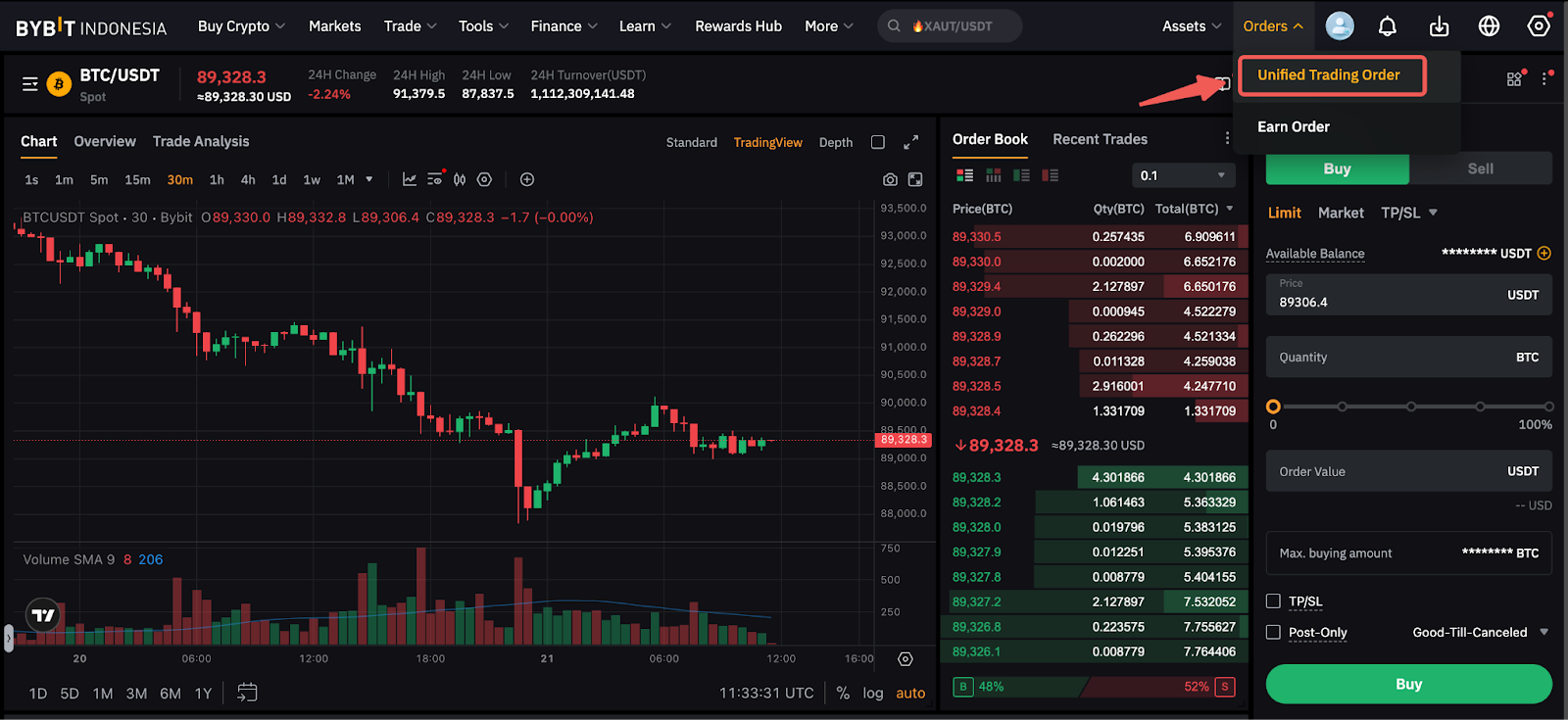
On the Bybit Indonesia website, please click on Orders → Unified Trading Order to view your order history.
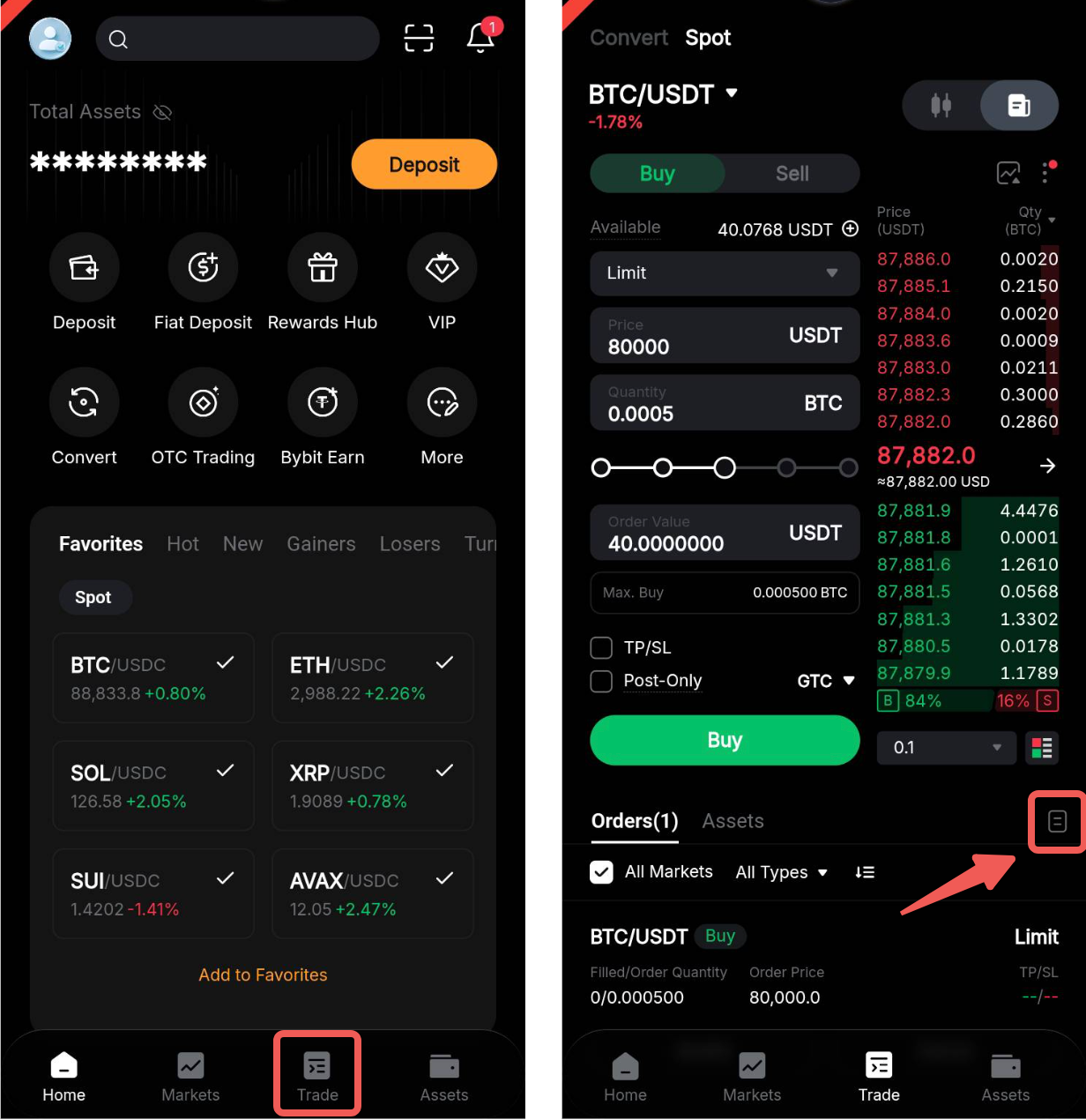
On the Bybit Indonesia App, go to Trade, open the Spot Trading page and tap on Trade. Tap on the Order History icon on the top right corner of the Order zone to view your order history and trade history.
What is the difference between the Open Orders, Order History and Trade History?
The difference between Open Orders, Order History, and Trade History lies in the status and execution of the orders:
- Open Orders: This section displays the orders that are still pending to be filled or triggered.
- Order History: This shows the history of orders that have either been filled or canceled.
- Trade History: This section presents the trades that have been successfully executed and filled. If an order is large, it might be filled by several trades, all of which will be shown in this history.