Bybit Indonesia is committed to complying with the regulatory environment in Indonesia, offering our users a secure and accessible platform for trading crypto. As part of this commitment, all Bybit Indonesia users must complete Standard Verification to access Bybit Indonesia’s products and services. Advanced Verification is optional but allows for higher fiat deposit limits. The requirements for standard and advanced verifications are as follows:
Here’s a step-by-step guide to completing Individual Identity Verification on Bybit Indonesia. Please note that completing Identity Verification can only be done via the Bybit Indonesia website.
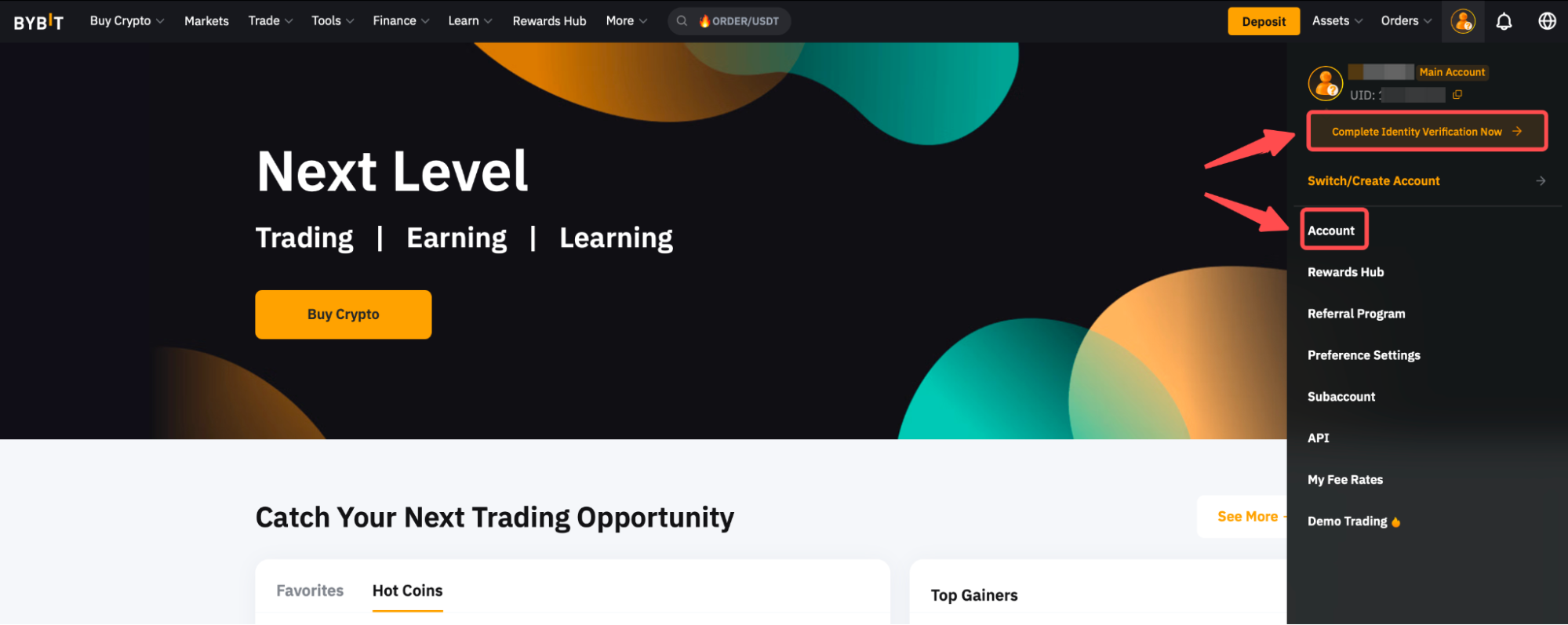
Step 1: Hover to the avatar icon on the right side of the navigation bar. If you have just created your account, you can click on Complete Identity Verification Now. Otherwise, click on Account to enter the Account page.
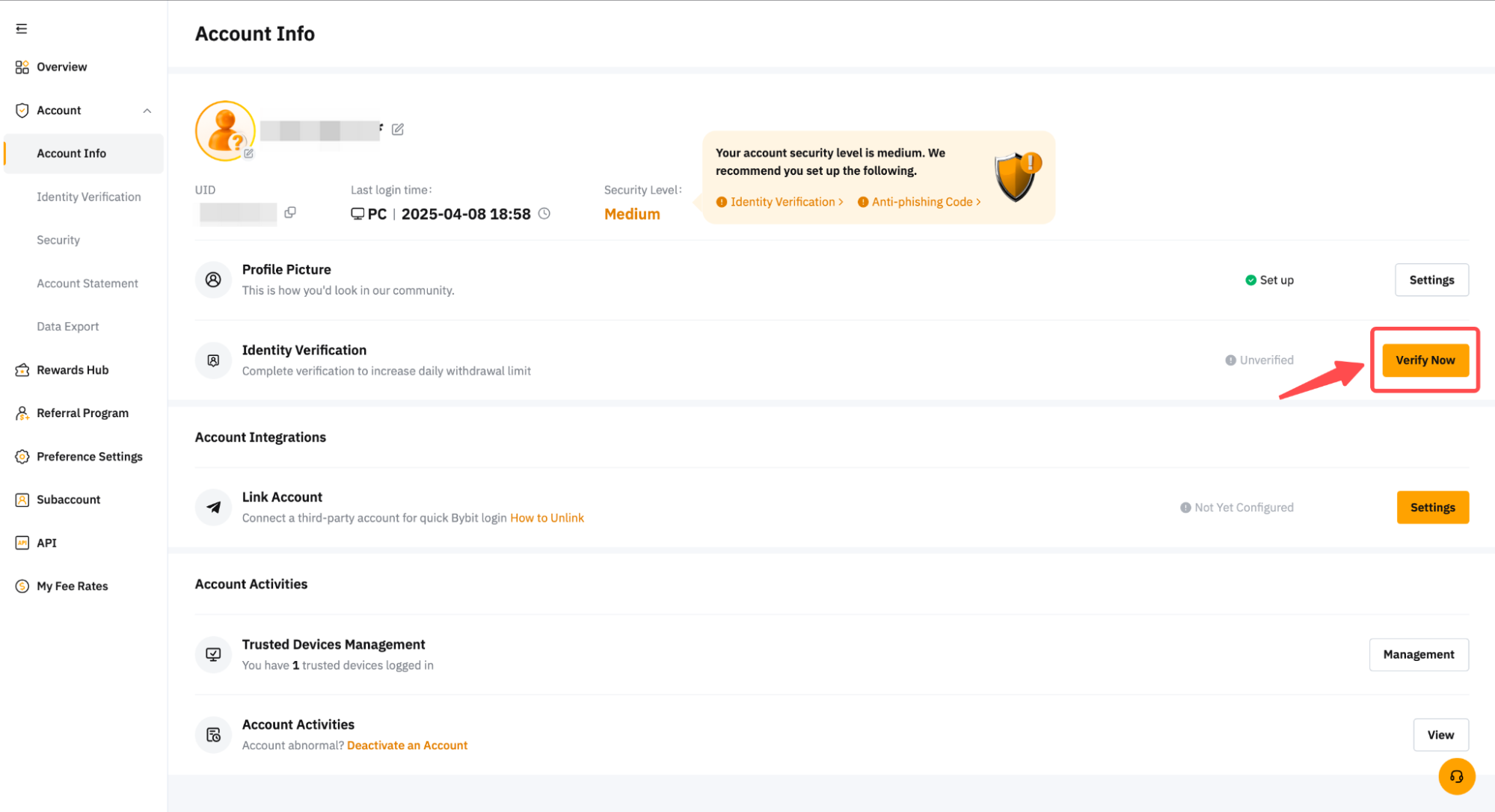
Step 2: Click on Verify Now in the Identity Verification column under Account Info to enter the Identity Verification page.
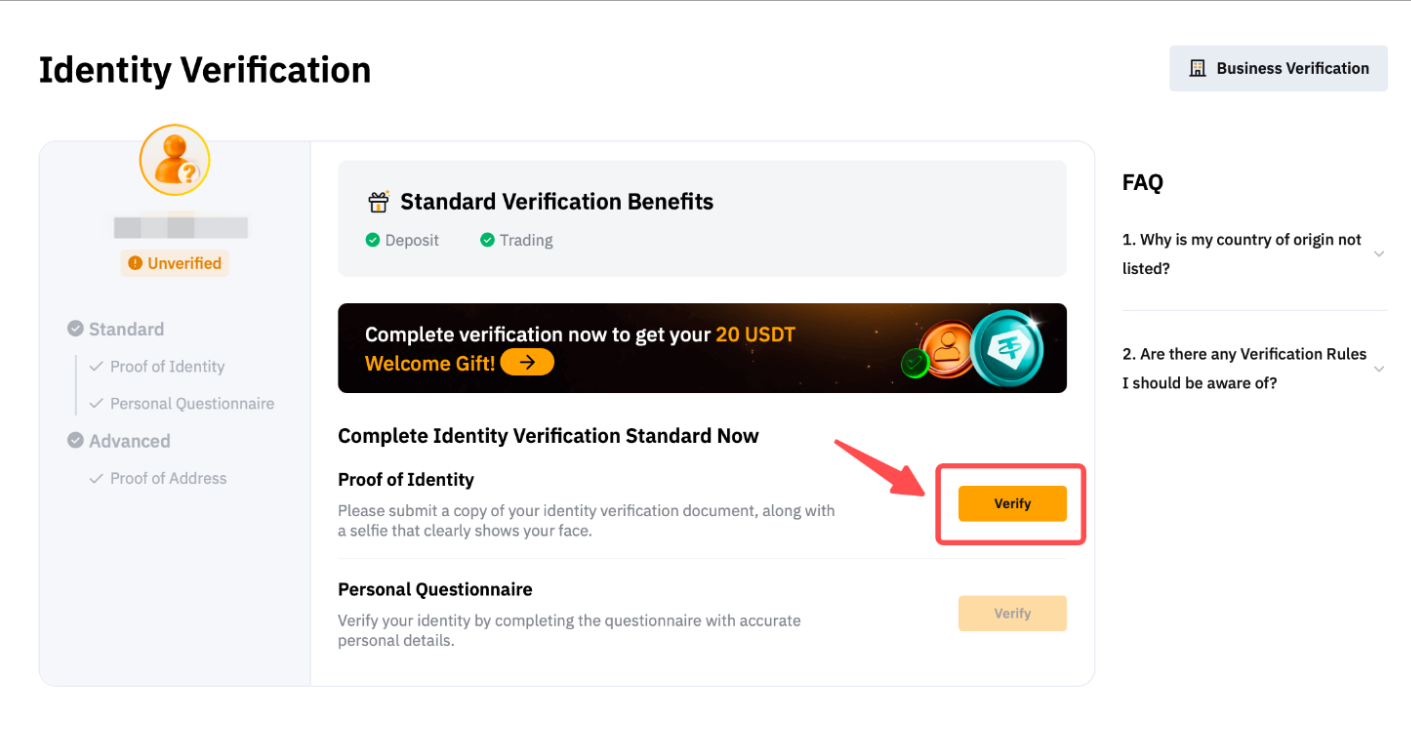
Step 3: On the Individual Identity Verification page, you will see two sections for verification: Standard and Advanced. Some verification items are interdependent. You must complete the verification items with an available Verify button before you proceed to the next one.
If you wish to verify your account as a business user, click on Business Verification on the top right corner of the page.
Standard Verification
Proof Of Identity
Step 1: Please select Indonesia as the Country/Region of Issue. By default, Bybit Indonesia only accepts a government-issued ID Card as a valid proof of identity document.
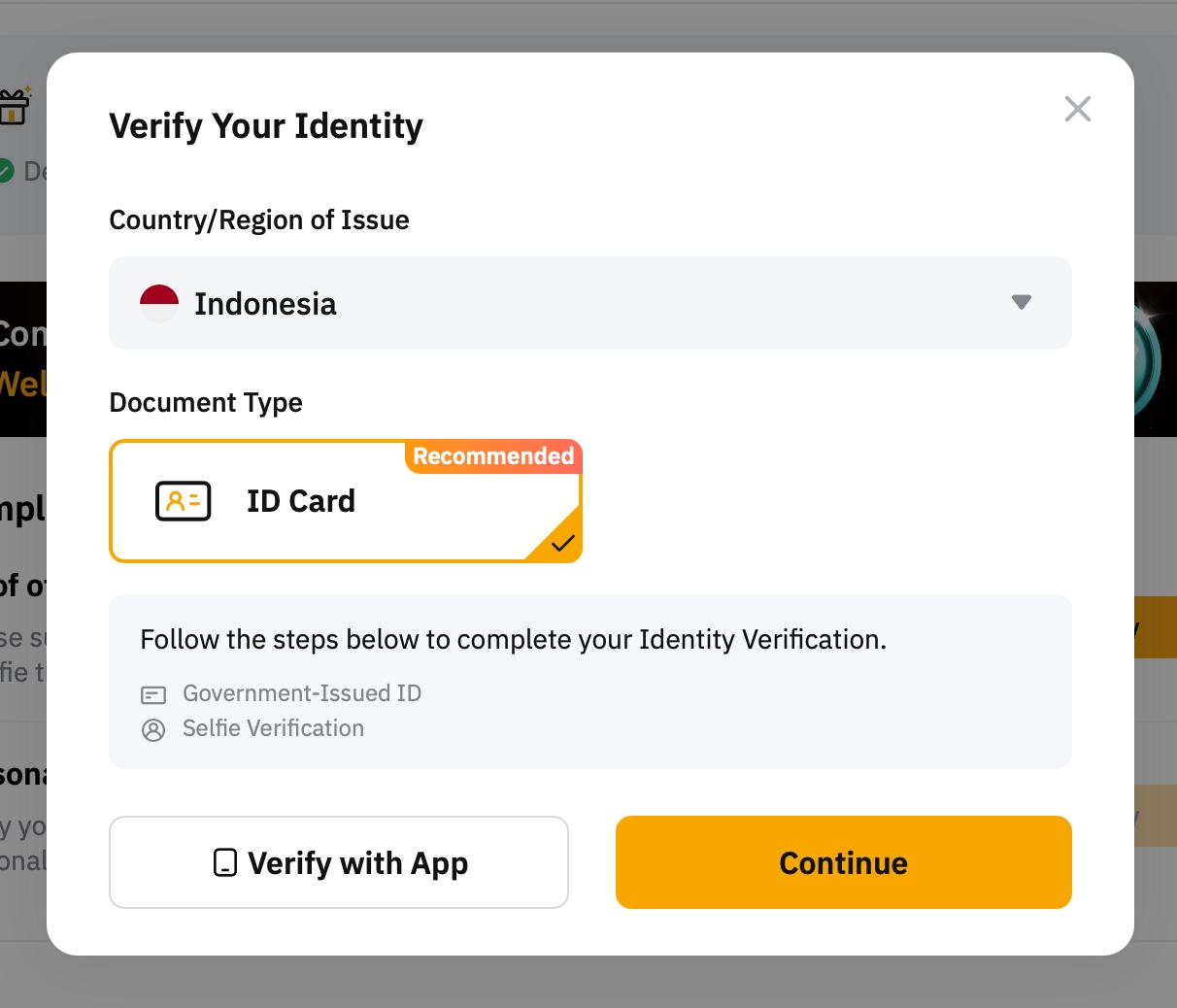
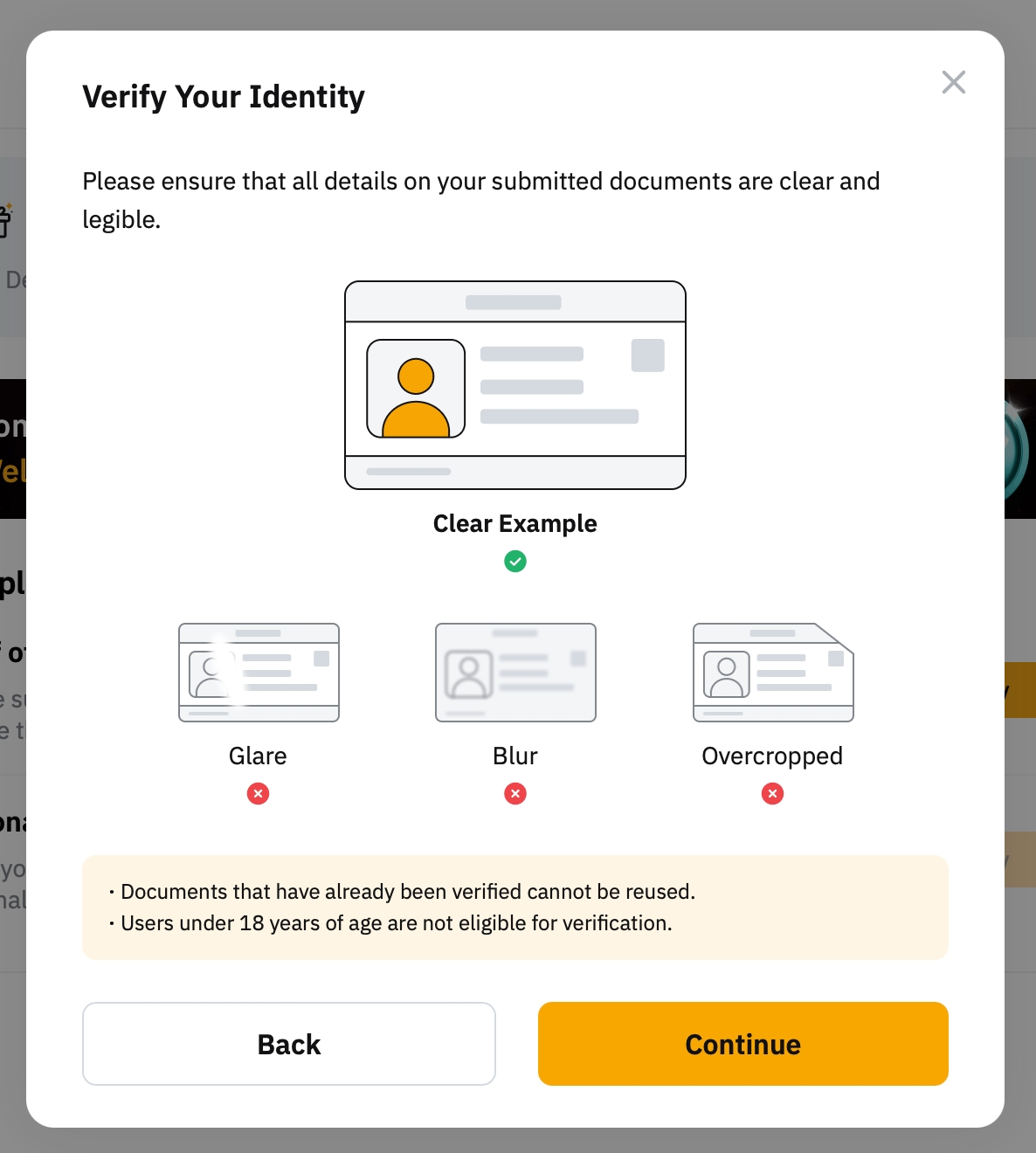
Step 2: Prepare your identity document and make sure it is valid. Please note that all details on your submitted documents must be clear and legible to be approved. Click on Continue.
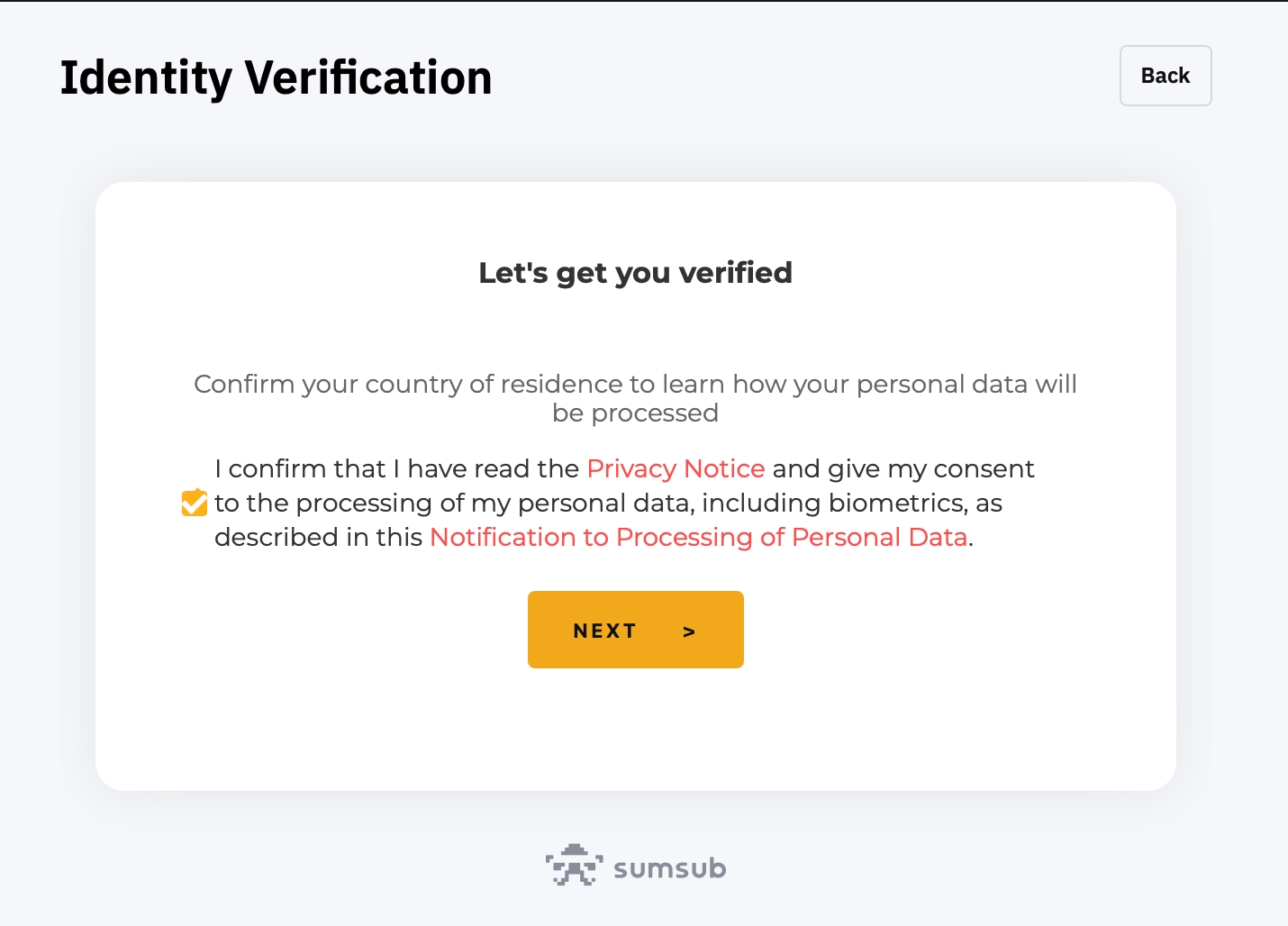
Step 3: Carefully read and acknowledge the Privacy Notice and the outlined terms and conditions. Tick on the confirmation box to indicate your consent, then click on Next.
Step 3: Take a photo of the front and back side of your document. Please ensure the document photo clearly shows your full name and date of birth.
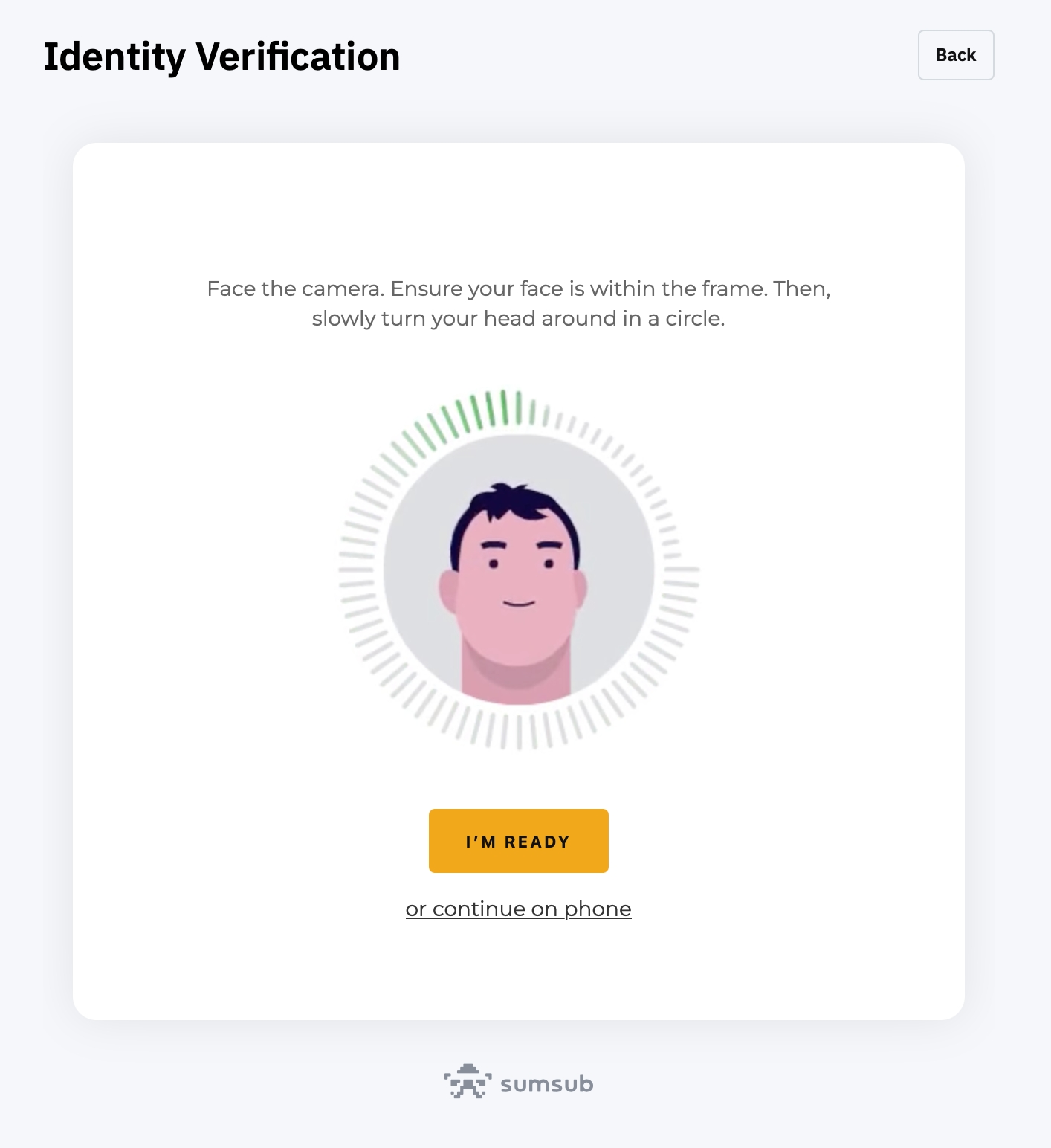
Step 4: After taking the photo of your identity document, complete your facial recognition scan through your laptop’s camera.
Your proof of identity has now been verified! You may proceed to the next step.
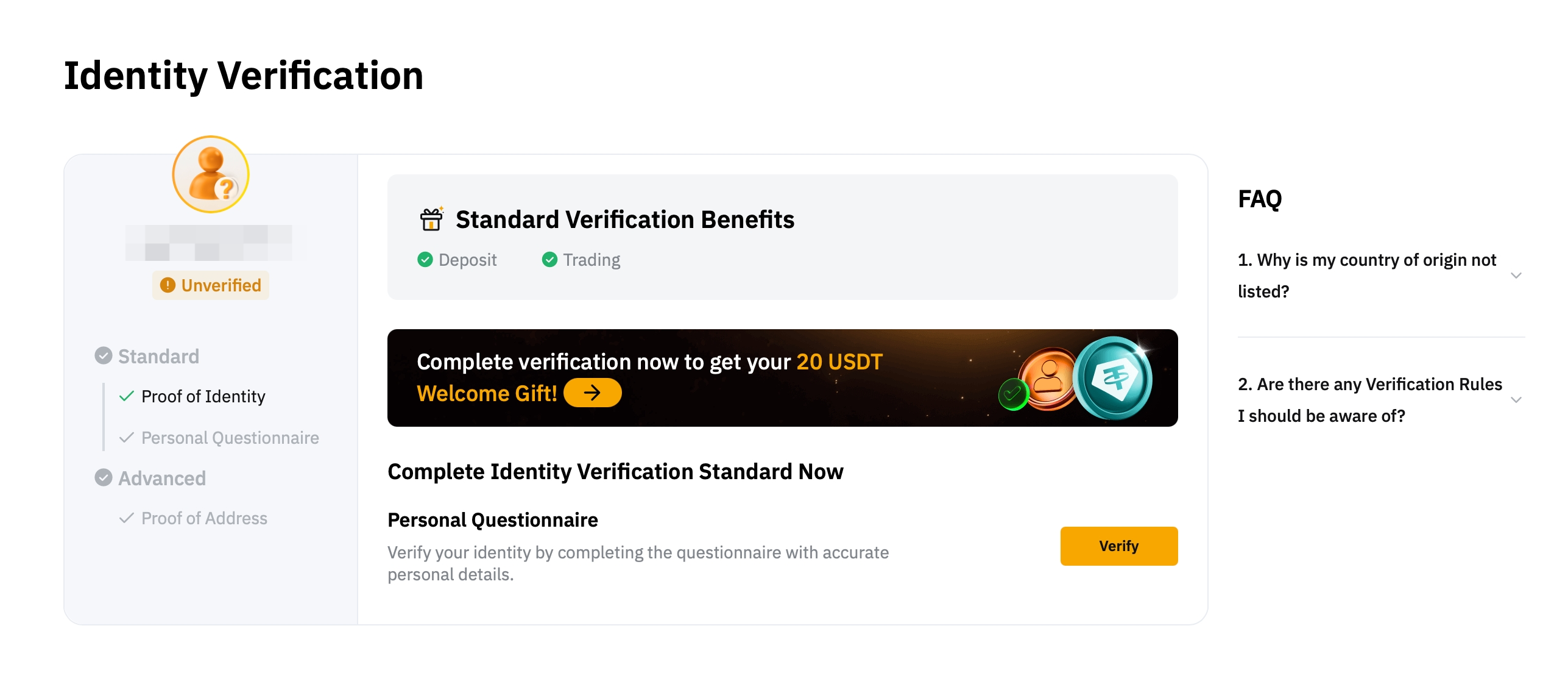
Personal Questionnaire
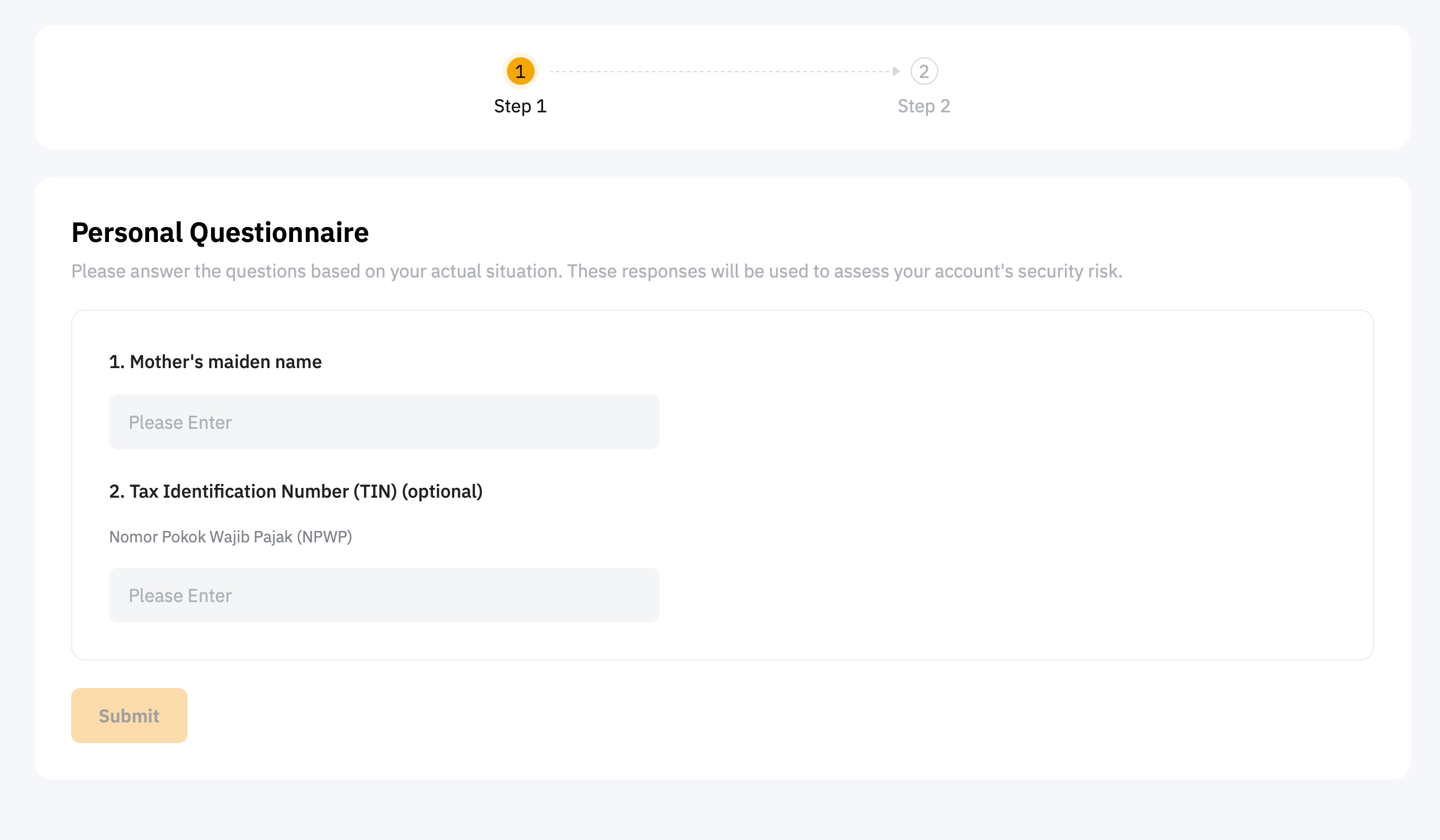
The personal questionnaire aims to understand the purpose and nature of our business relationship to ensure we offer the most suitable products, services, or transactions. It also enables Bybit Indonesia to accurately assess your account’s security risk. Please provide honest and accurate responses based on your actual situation.
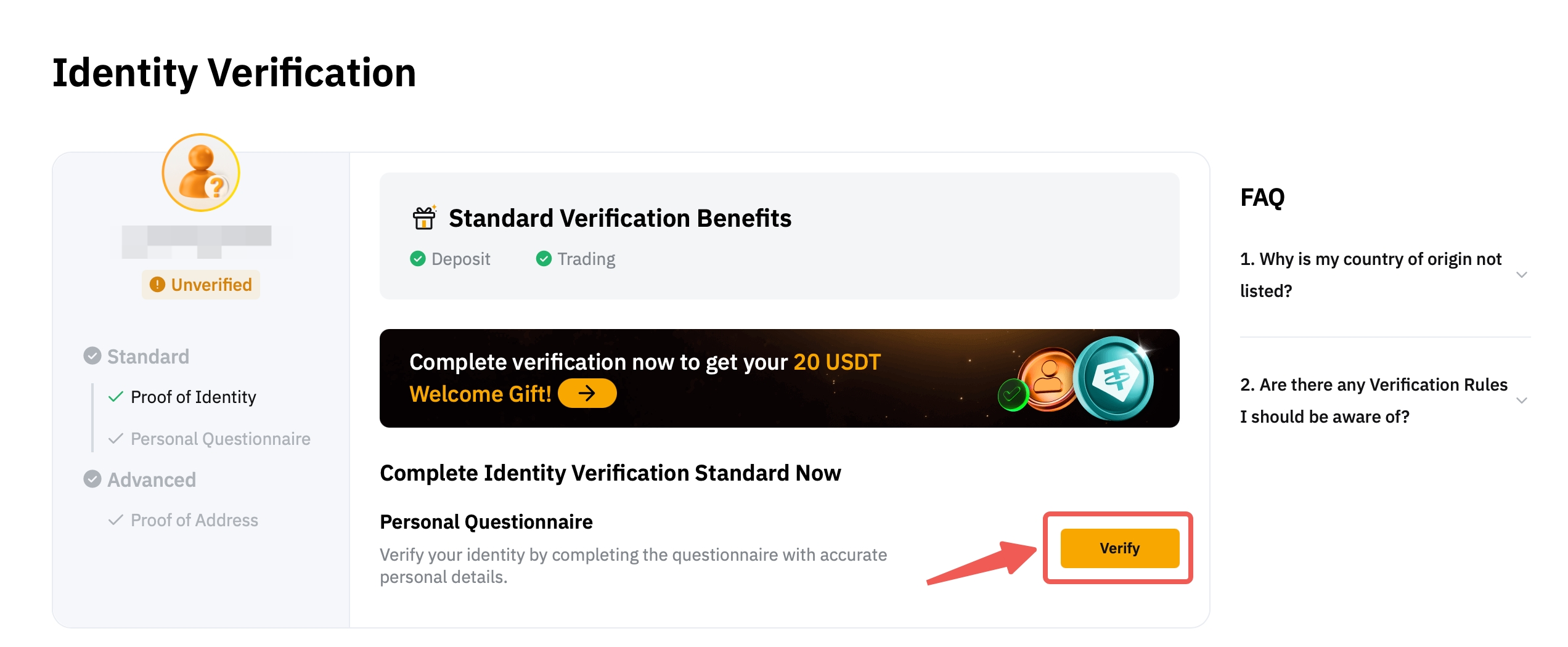
Step 1: Click on the available Verify button to access the Personal Questionnaire page.
Step 2: Furnish your answers in the available fields and click on Submit.
Congratulations! Your Standard Identity Verification has been completed. You are now eligible to access the supported products and services.
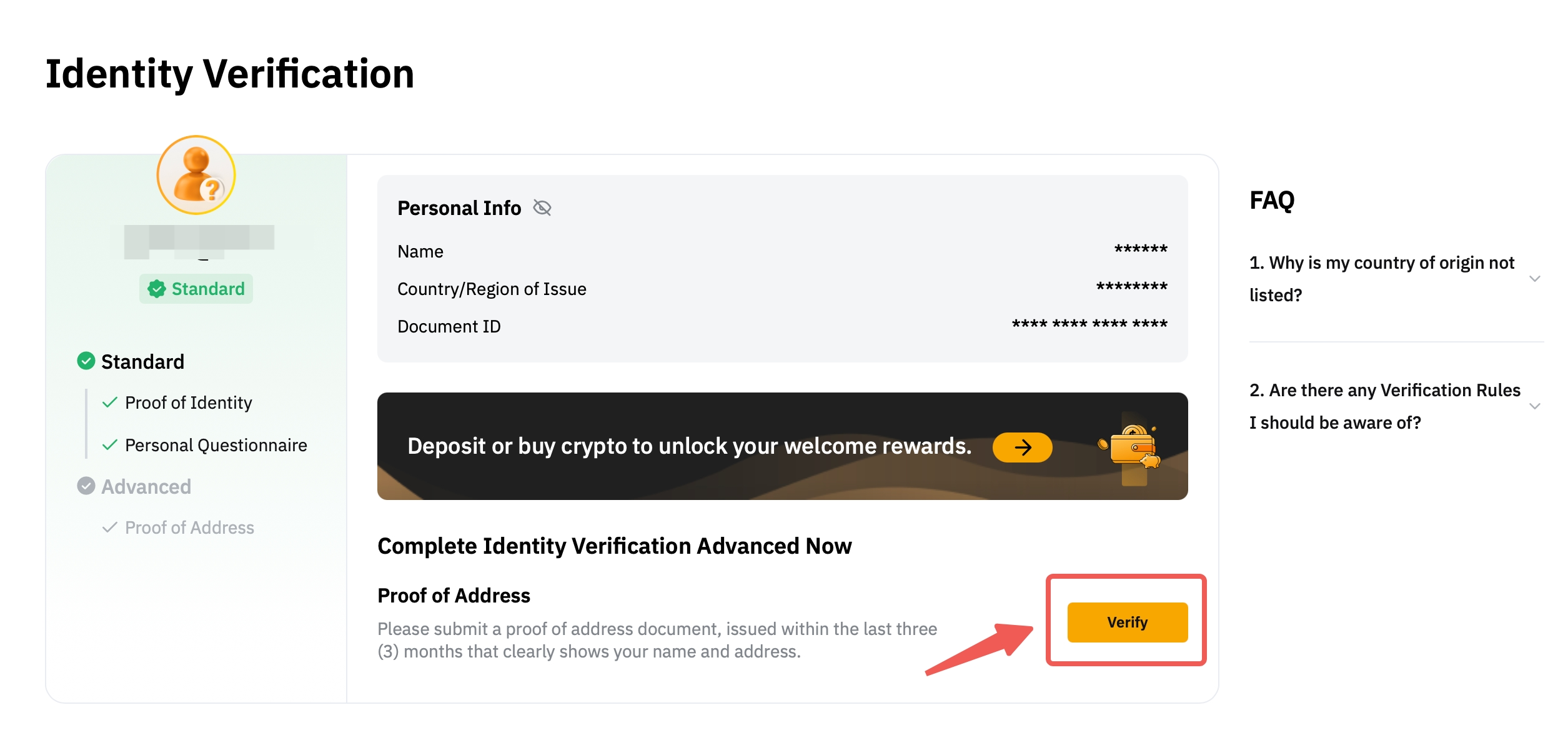
To be entitled for higher fiat deposit limit, you can proceed to complete the advanced verification as follows:
Advanced Verification
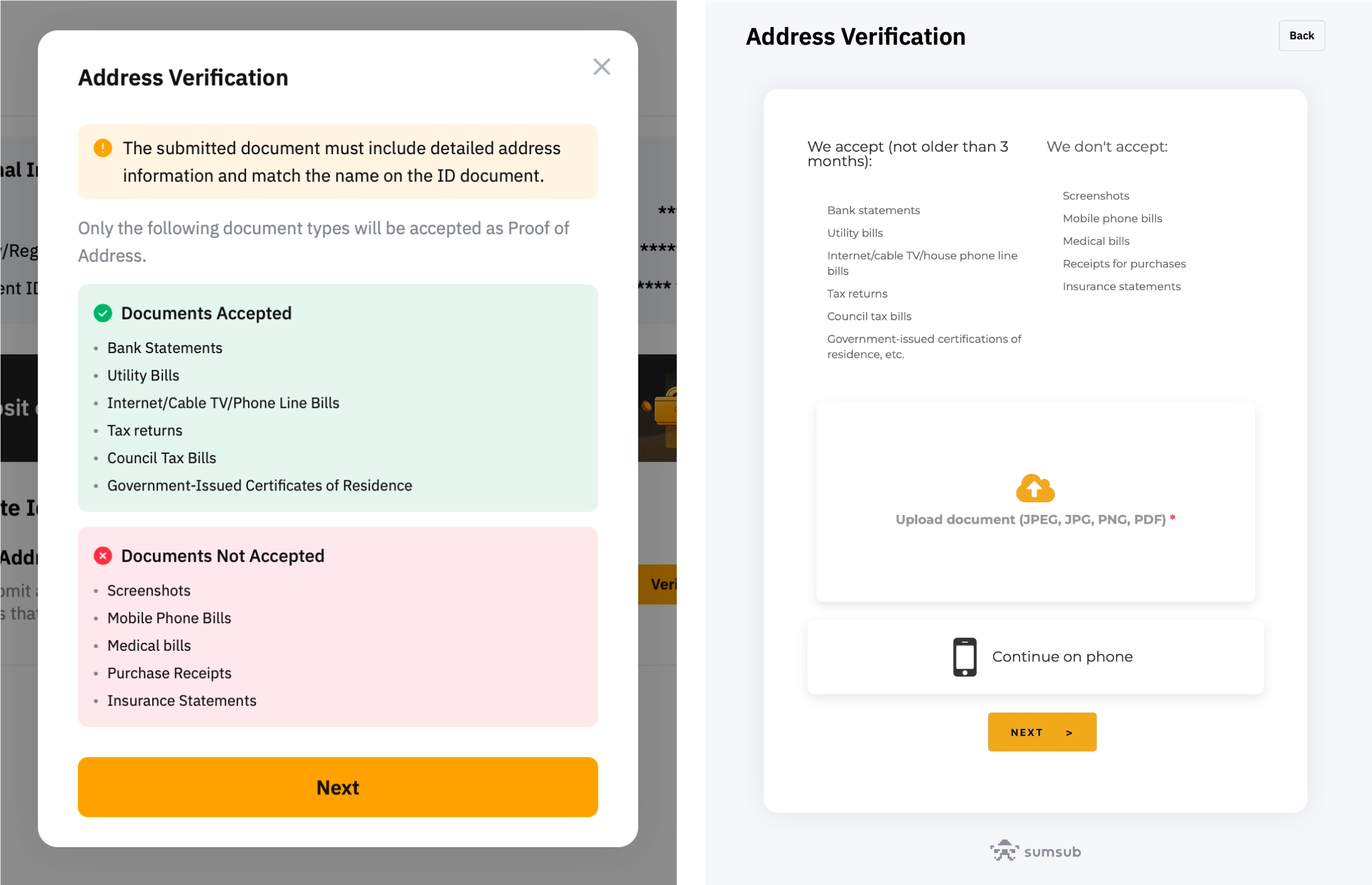
Proof of Address
Only documents that display your address will be recognized as proof of address. Accepted documents include utility bills, bank statements, tax bills, or official residency proof issued by the government.
While we can accept documents from major banks in Indonesia, please note that documents lacking the applicant’s address will not qualify as valid proof of address.
All Proof of Address documents must be issued within the last three (3) months. Any documents dated beyond this period will be rejected. Please note that we exclusively accept proof of residency within Indonesia. The verification process may take up to 2 hours to process and provide results.
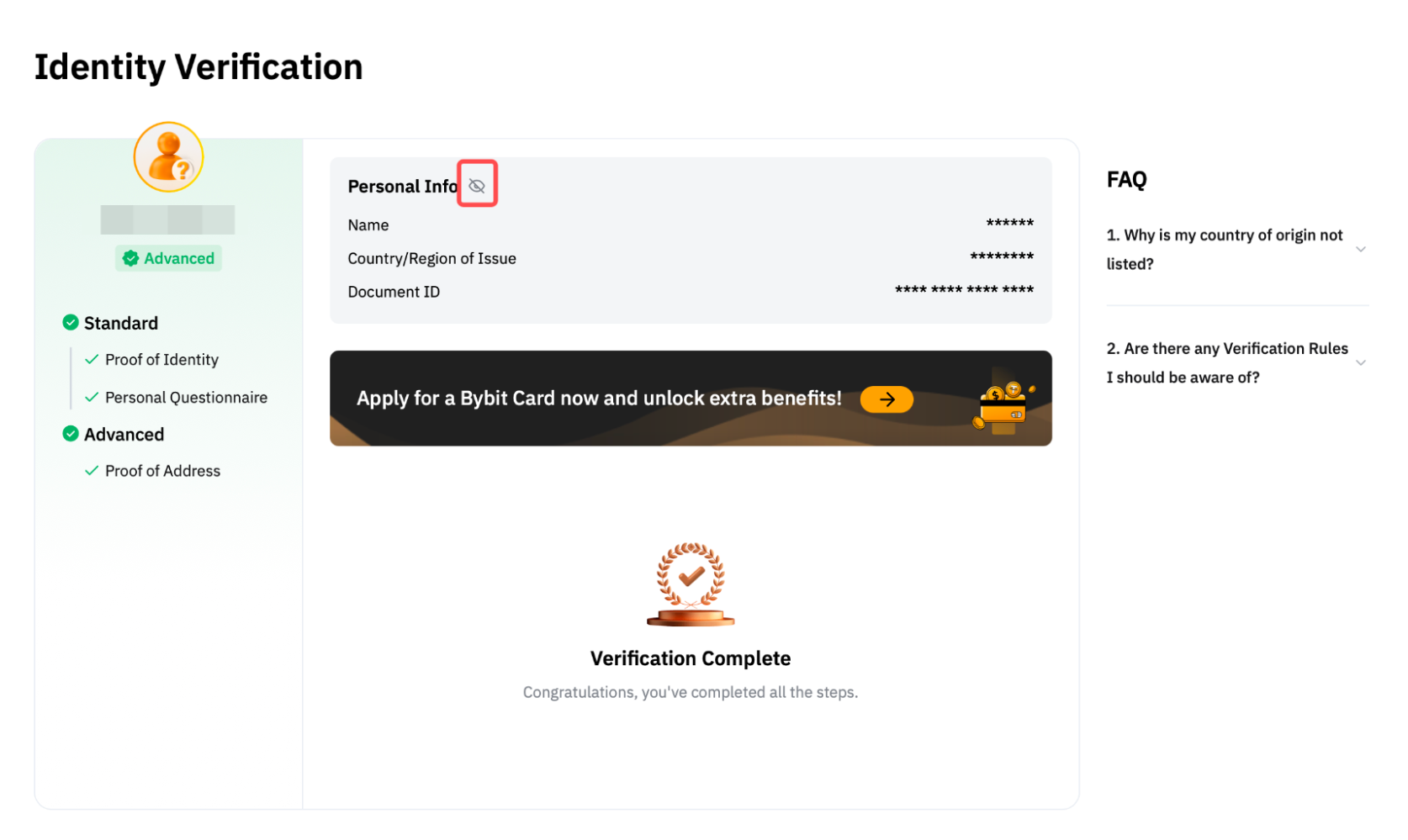
Review Your Identity Verification
To review the information you submitted during the Identity Verification process, click on the eye icon. Please be aware that you will need to enter your Google Authenticator code to access this information.