Here’s a step-by-step guide to help you easily log in to your Bybit Indonesia account on your computer via the Bybit Indonesia App.
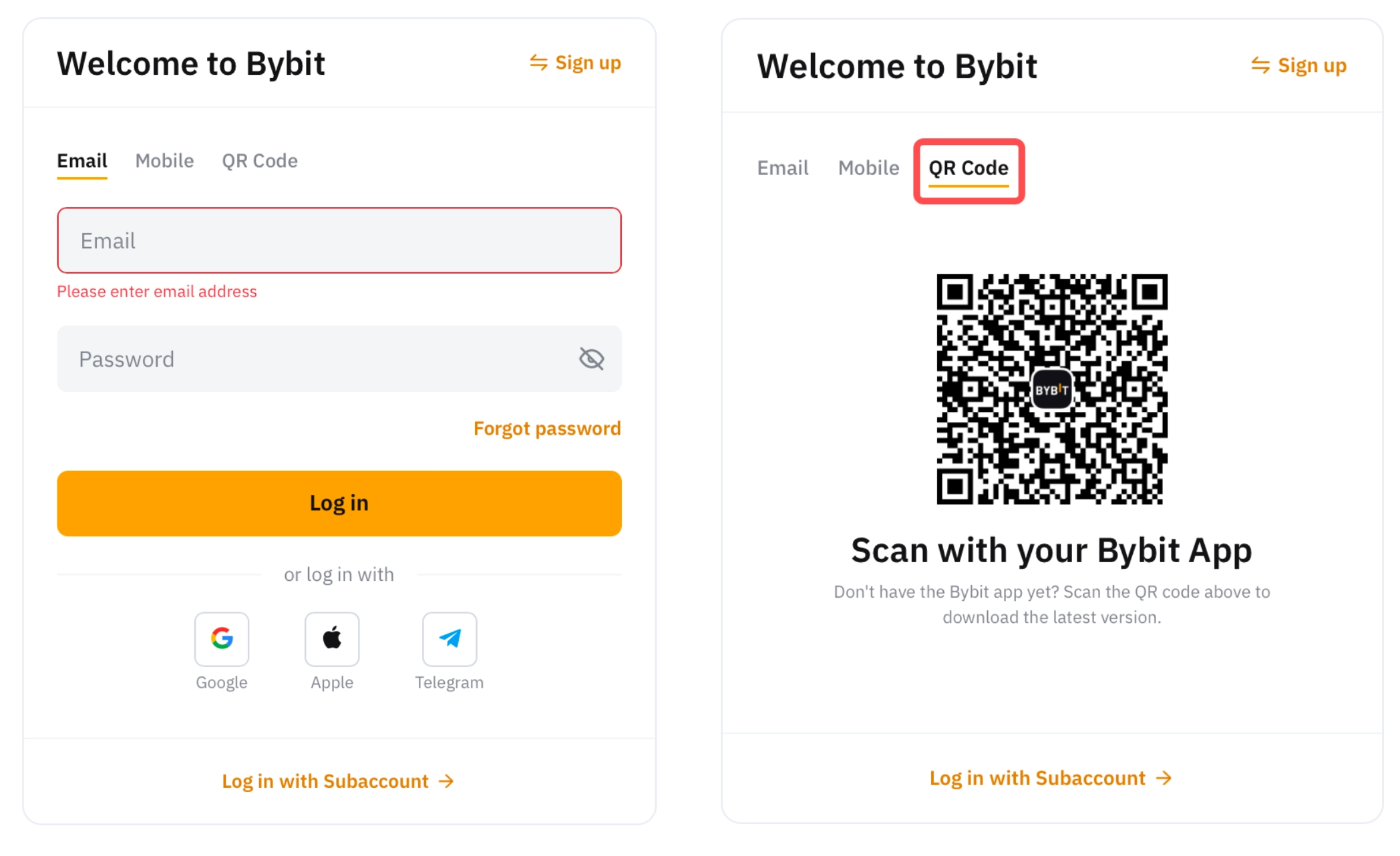
Step 1: Please head to the login page on the Bybit Indonesia website and click on the QR Code tab to begin.
Step 2: Open the Bybit Indonesia app and tap the QR code scanner icon, located next to the search bar in the upper right corner. Please make sure you are logged in to your Bybit Indonesia app first.
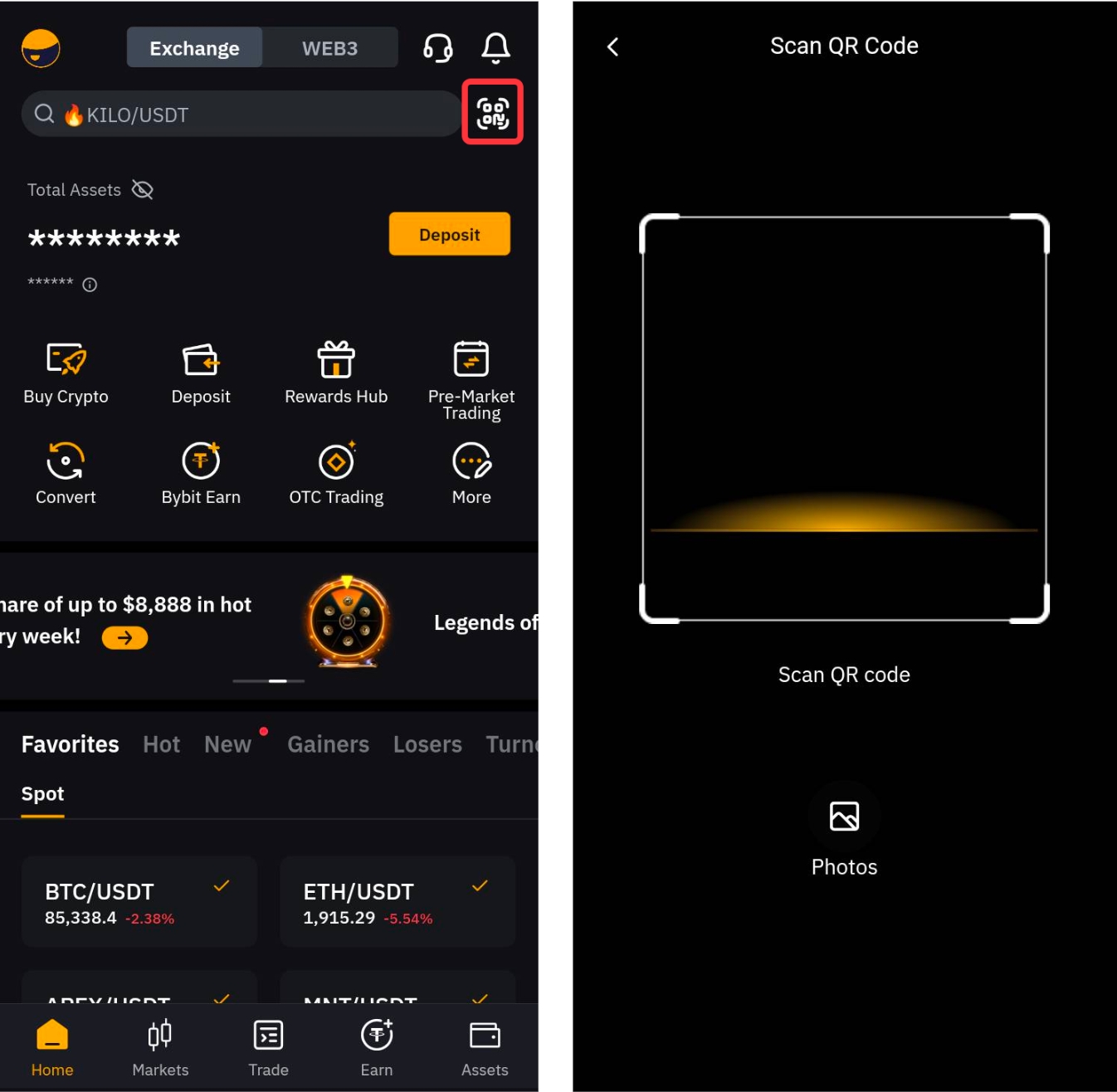
Step 3: Scan the QR code with the Bybit Indonesia app, then click on login.
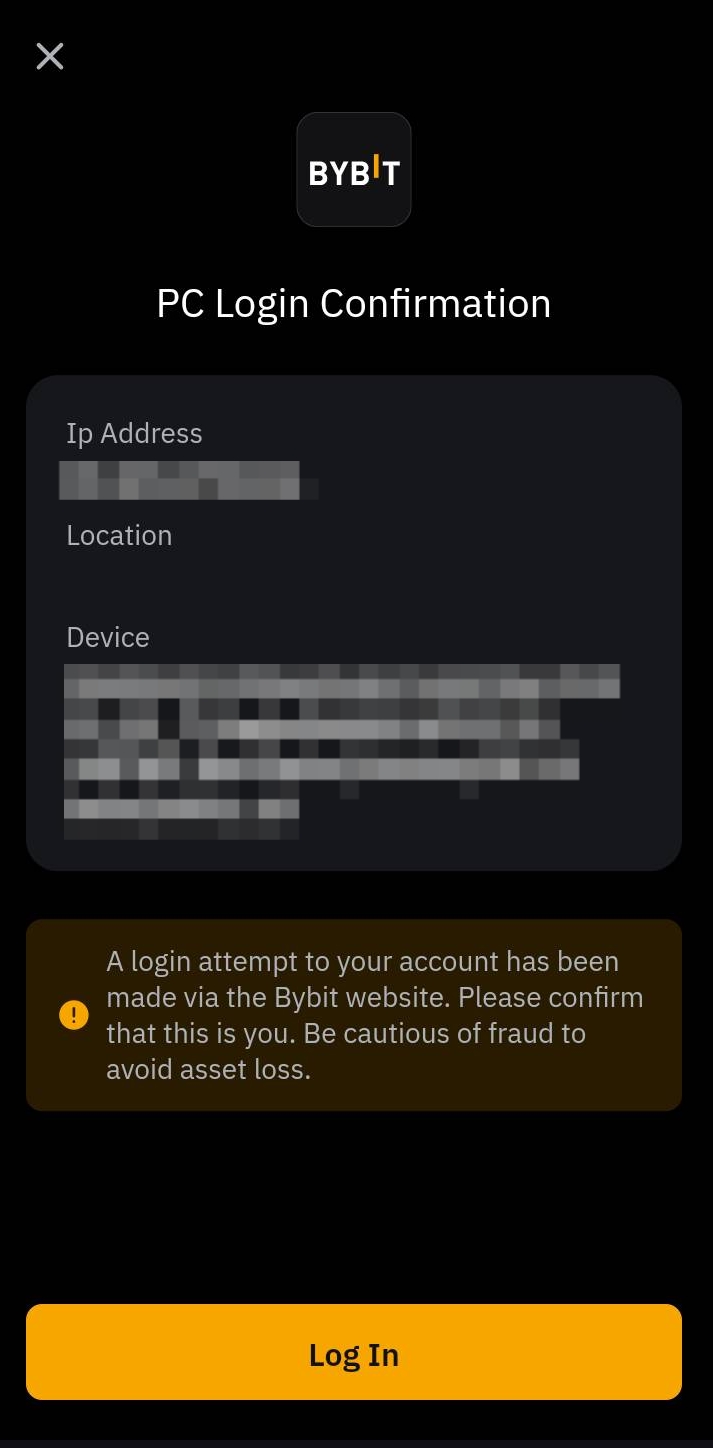
Congratulations! You have successfully logged in.