Points to Note:
-
Please refrain from using an email address from a provider that you may not be able to use in the future due to changes in services or other reasons. We recommend three email service providers: Gmail, iCloud, and ProtonMail.
-
To make a withdrawal, Email and Google Authentication are compulsory while SMS Authentication is not. Registration using an email address is recommended.
-
Each email address and mobile number can only link to one account.
-
Enter your mobile number after specifying the country code, and omit the leading zero. (For example, if your mobile number is 090-1234-5678, enter 9012345678).
-
Enter the information in single-byte alphanumeric characters. Do not use double-byte characters.
-
Only Indonesian residents can register an account on the Bybit Indonesia site.
-
After registration is complete, you will need to complete your Identity Verification to use the products and services. For more information, please visit How to Complete your Identity Verification.
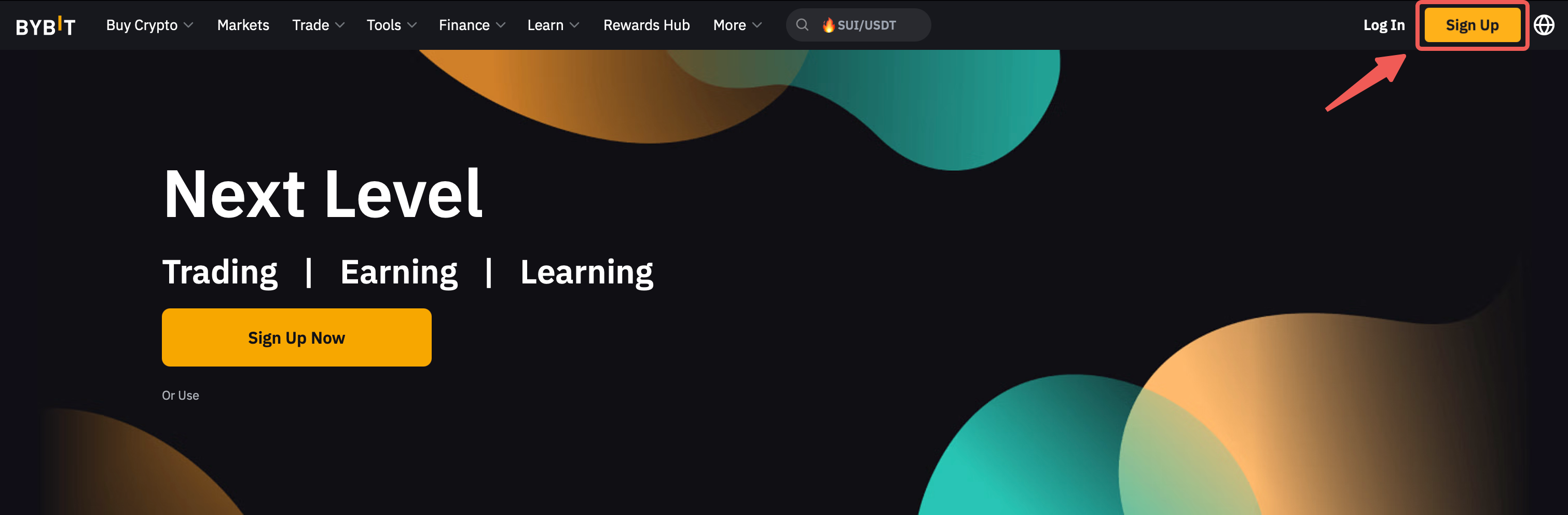
Step 1: On the Bybit Indonesia Homepage, click on the Sign Up button located on the top right corner of the navigation bar to start.
Alternatively, click on one of the registration links below to create your account.
Mainnet account registration URL: https://www.bybit.id/app/register
Testnet account registration URL: https://testnet.bybit.id/app/register
Notes:
-
To begin trading in real markets, kindly opt for the mainnet account registration, or;
-
Select the testnet account registration, if you wish to explore and use Bybit features and products in a risk-free environment.
To learn more about the differences between a mainnet account and a testnet account, please refer to this article.
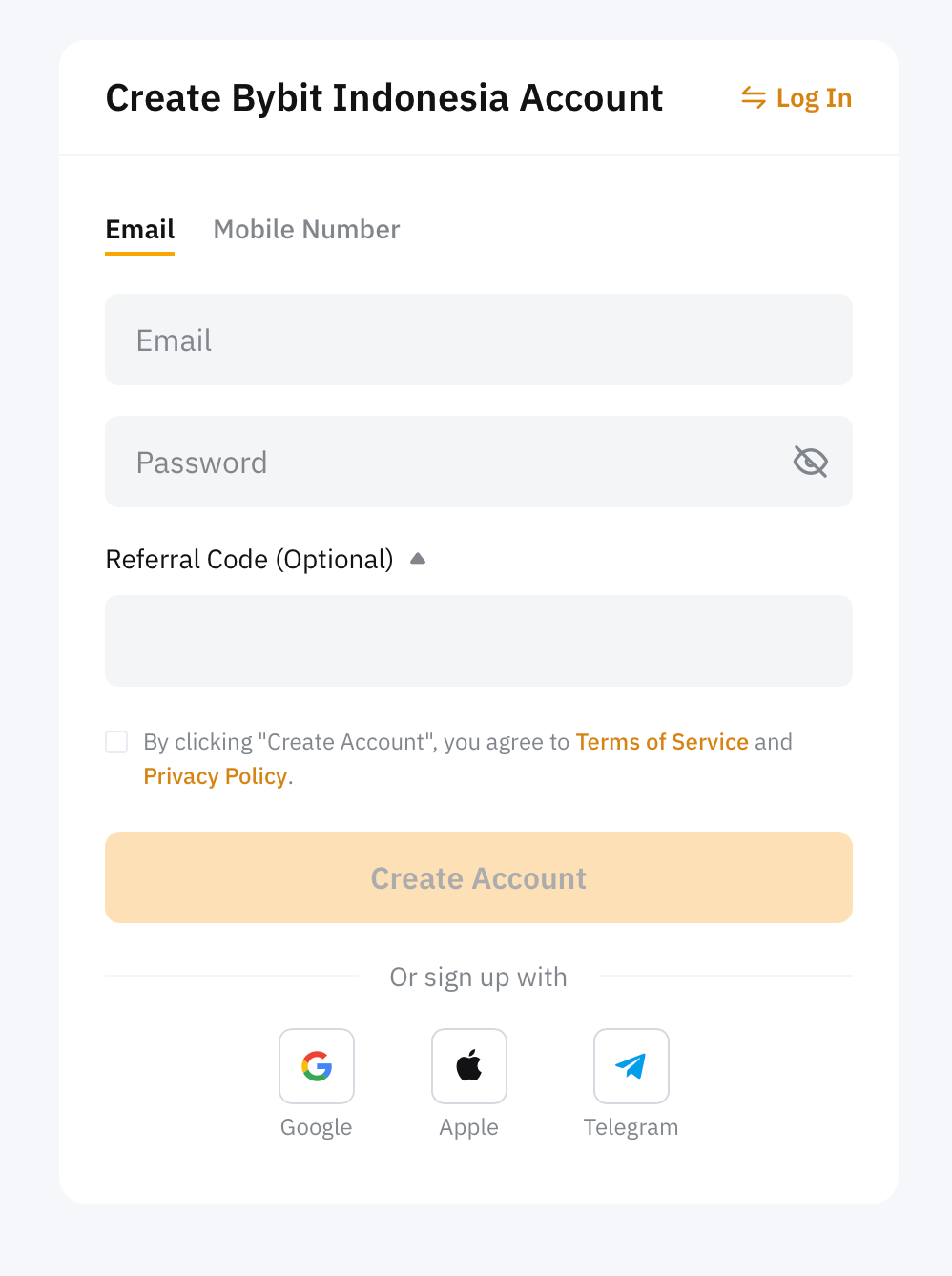
Step 2: You can register using either your (1) email address or (2) mobile number.
Choose to register using Email or Mobile phone number. Please enter your email or mobile number + country code, preferred password and referral code (optional and can be left blank) accordingly.
Notes:
— Clicking on the Sign Up with Google will use the email address linked to your Google account for your Bybit Indonesia account creation.
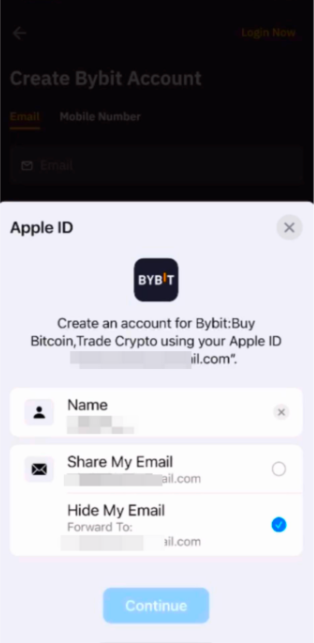
— Clicking on the Sign Up with Apple will use your email address linked to your Apple ID for your Bybit Indonesia account creation (Share My Email). If you have selected Hide My Email for the registration, Apple will create a unique, random email address with @privaterelay.appleid.com domain for registration.
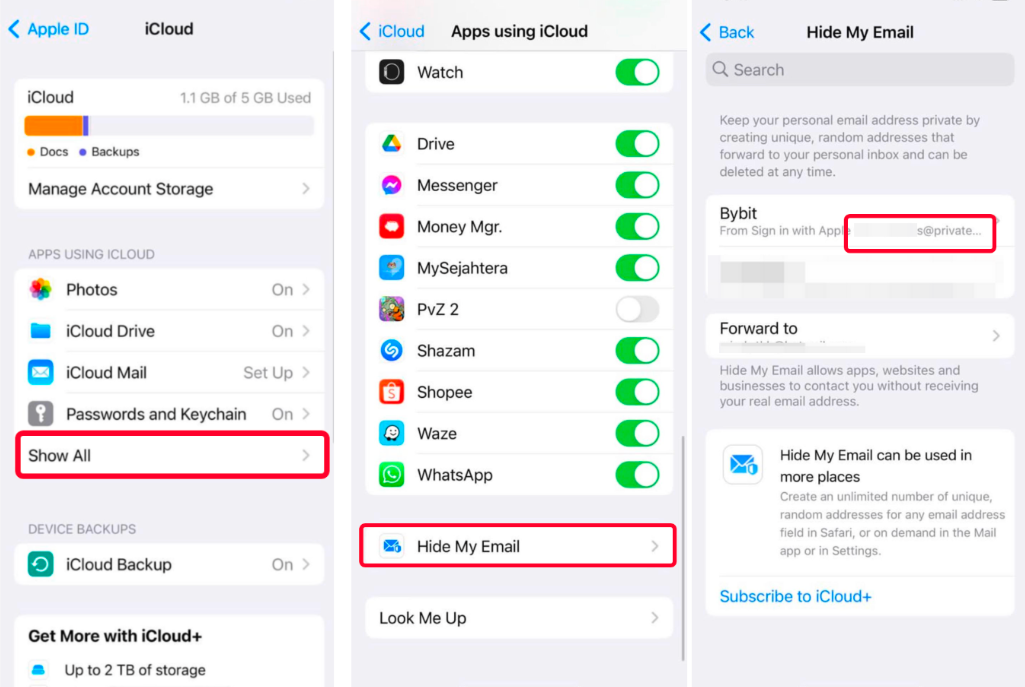
To check your @privaterelay.appleid.com email address, go to the Apple Settings → iCloud → Apps Using icloud → Hide My Email.
Step 3: Complete the slider captcha verification and enter the verification code sent to your email inbox (email registration) or SMS code sent to your mobile number (mobile registration).
If you do not receive the email, please check if it has been sent to your spam/junk mail box.
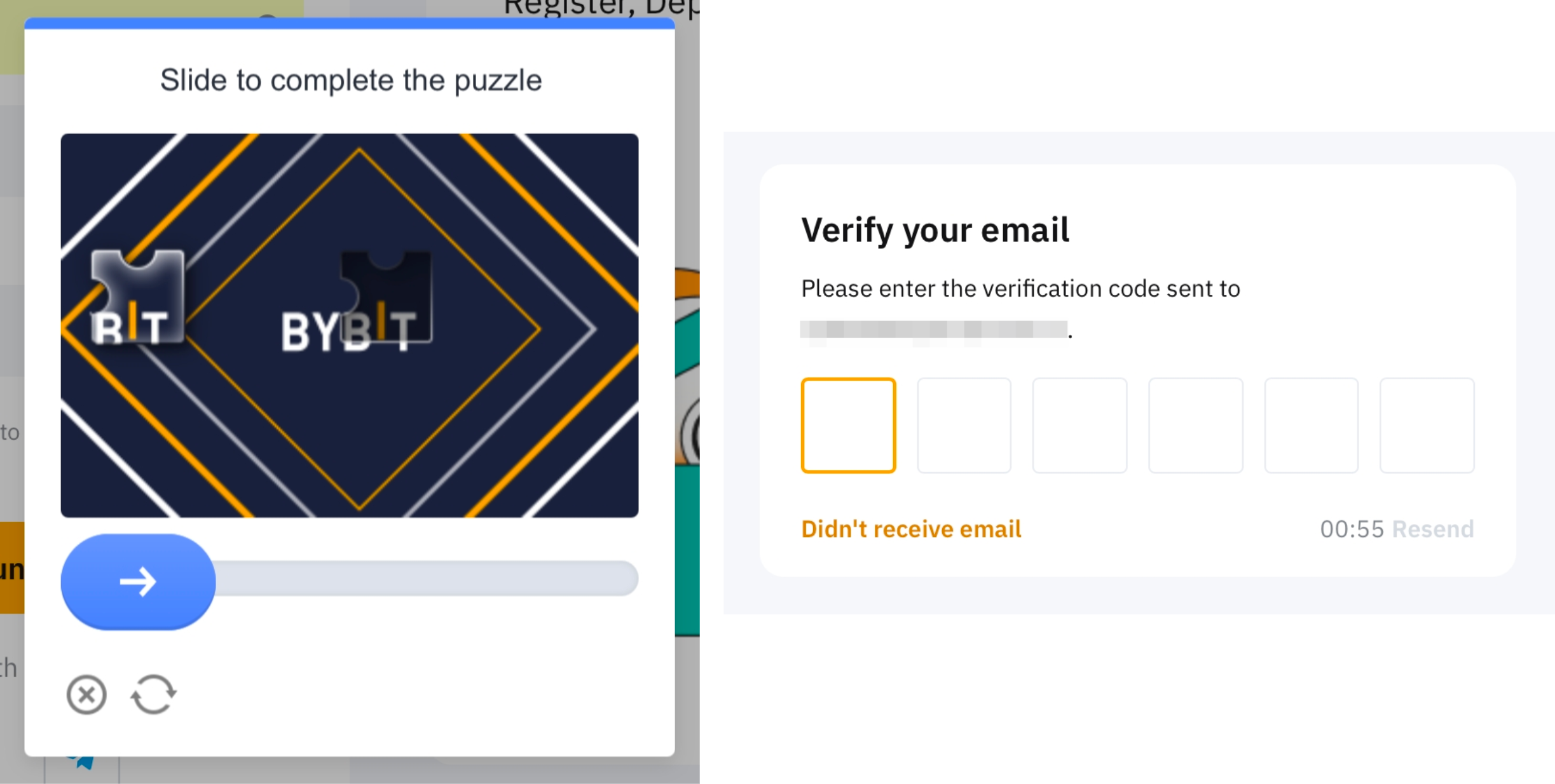
You have successfully registered an account on Bybit Indonesia!