Bybit Indonesia Convert is a simple tool to buy or sell cryptocurrencies in just a few clicks. It allows users to convert assets into any supported cryptocurrency in our Funding Account and/or Unified Trading Account.
Notes:
- Conversion is currently only available via Funding and Unified Trading Accounts. Please transfer your funds to one of these accounts before proceeding with conversion.
- The bonus balance cannot be converted to other coins. It will not be forfeited upon submitting any coin conversion request as well.
- The real-time exchange rate is based on the best quote price from several market makers according to the current index price.
- For the minimum and maximum transaction limits of each coin, please refer to here.
- Every filled asset conversion order will incur CFX and Tax fees. For more information, please refer to this article.
Here is a detailed guide on the steps to easily convert your assets.
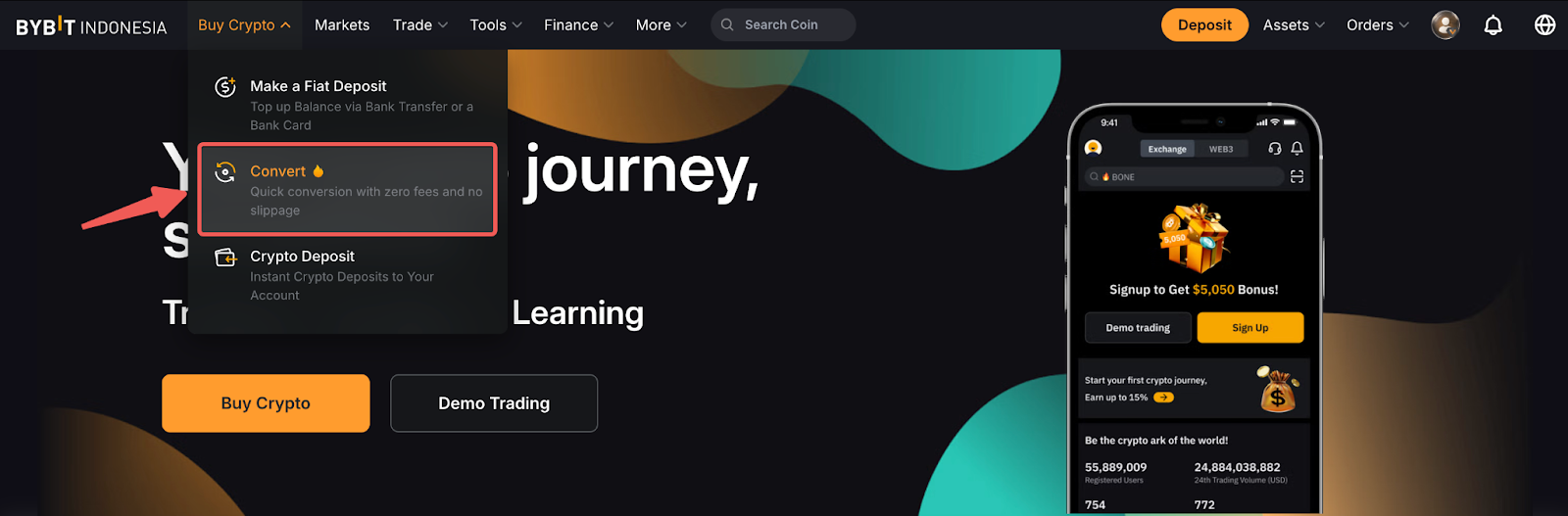
Step 1: Select Buy Crypto in the top navigation bar and click Convert.
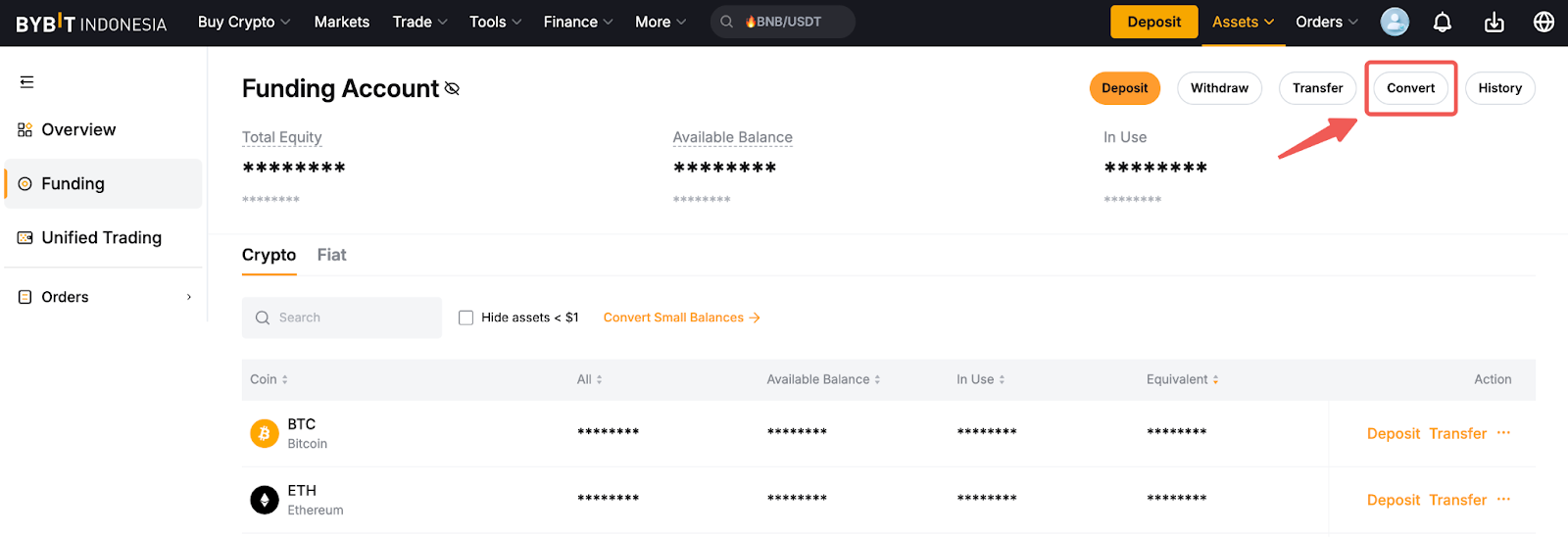
Alternatively, you can access Convert directly from the Funding Account or Unified Trading Account page.
Step 2: You will be redirected to the Convert Page. Please follow the steps listed below:
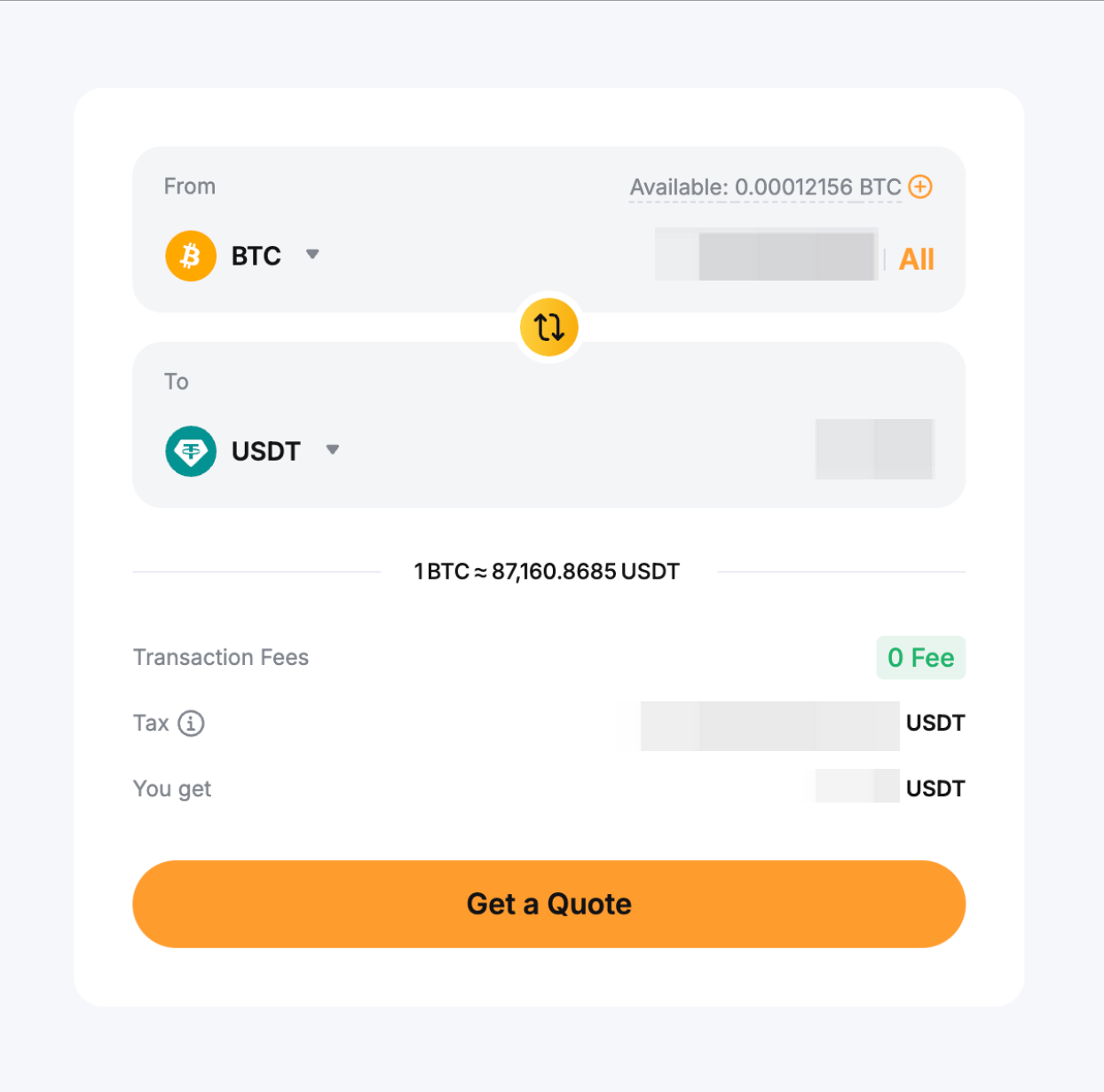
- Select the account you want to perform the conversion on. If you select the Funding Account, it means that only the available balance in your Funding Account will be used for conversion. The converted amount will also be credited to your Funding Account.
- Select the asset and enter the amount that you want to convert
- Double check that the details are correct and click on Get a Quote to view the exchange rate.
Step 3: Once you’ve agreed with the offered rate, click on Confirm Transaction to begin the conversion.
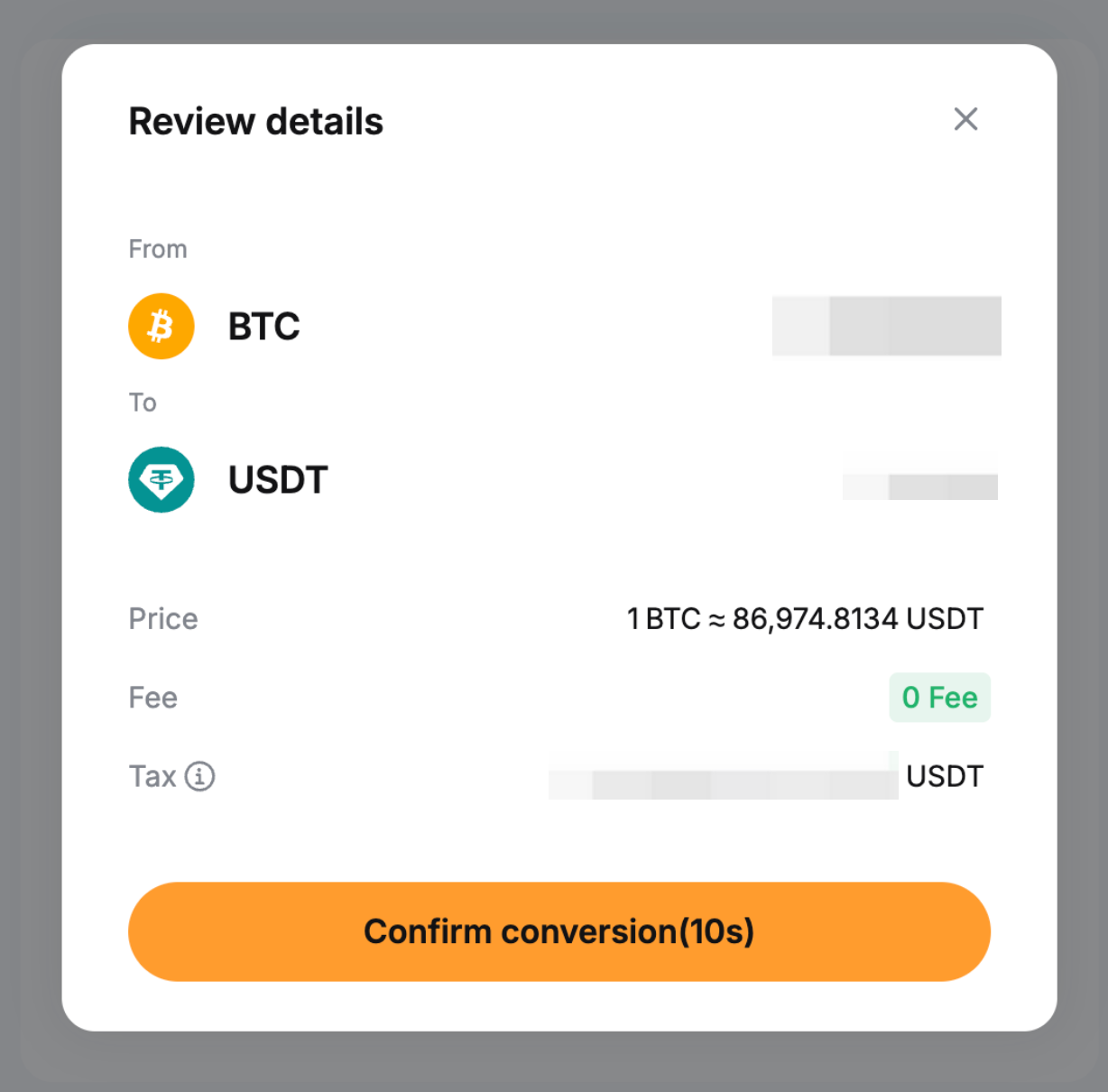
Congratulations! Your assets have been successfully converted.
Notes:
— Only the available balance in the account you selected will be used. You can click the plus icon next to Available Balance to add more funds.
— The exchange rate refreshes every 15 seconds to reflect the latest market conditions, and the amount you'll receive is updated automatically. In cases of extreme market volatility, where the rate shifts significantly after you confirm the conversion, your order may not be executed.