Note:
— The creation of an API key can only be done via the Bybit Indonesia website, there is no option to do it via the Bybit Indonesia App.
Mainnet account settings URL: https://www.bybit.id/app/user/api-management
Testnet account settings URL: https://testnet.bybit.id/app/user/api-management
To create your API key on Bybit Indonesia:
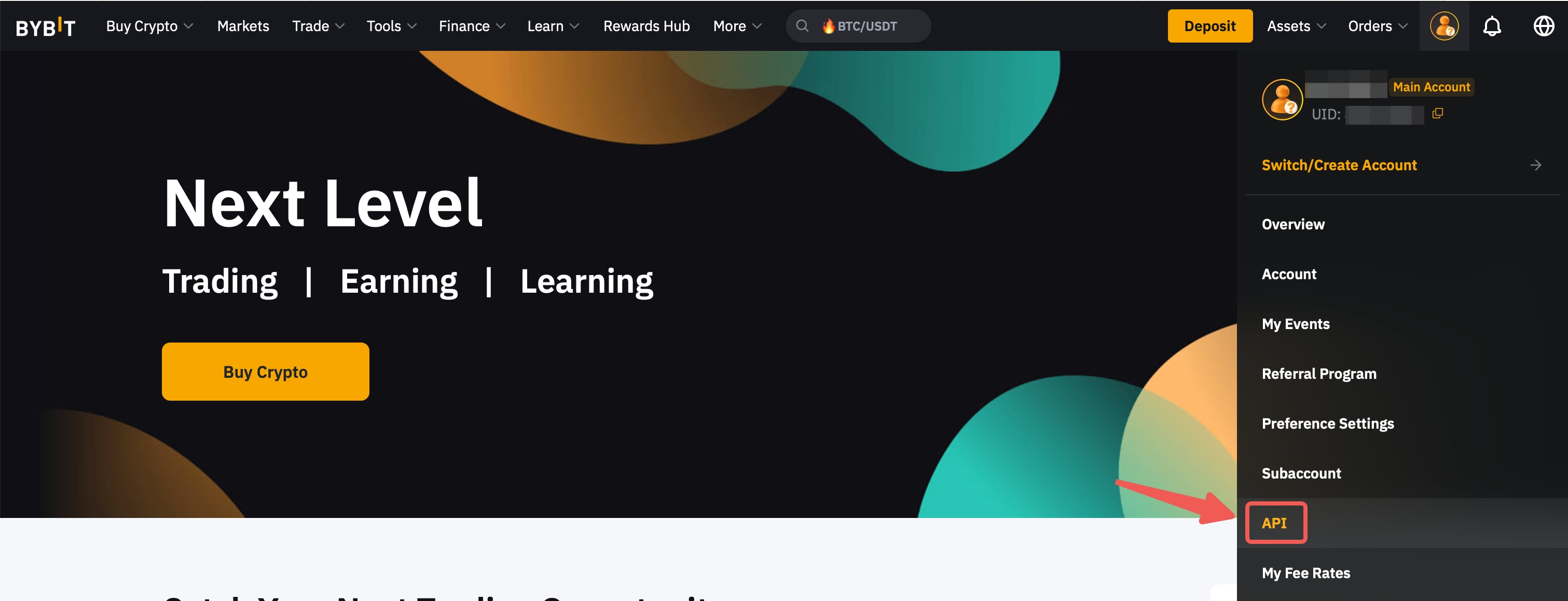
Step 1: Click on the link above to enter your account's settings page. Perform a login if prompted. Alternatively, you can click on the Profile icon on the top right corner of your trading page, go to API.
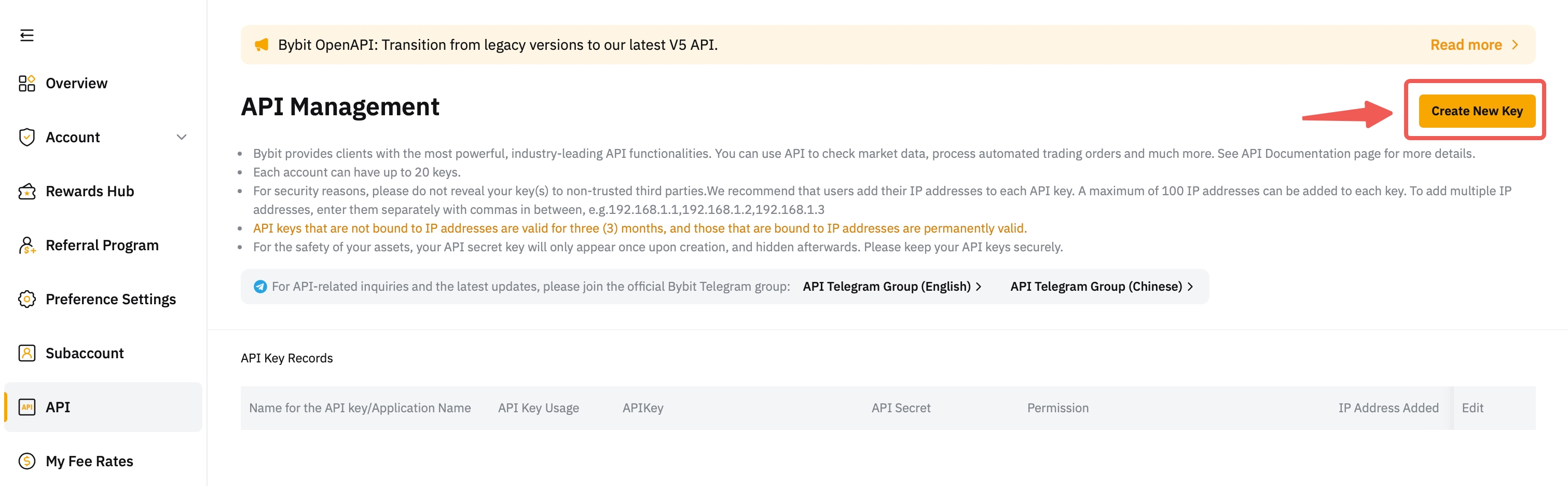
Step 2: Click on Create New Key located on the right side of the API Management page.
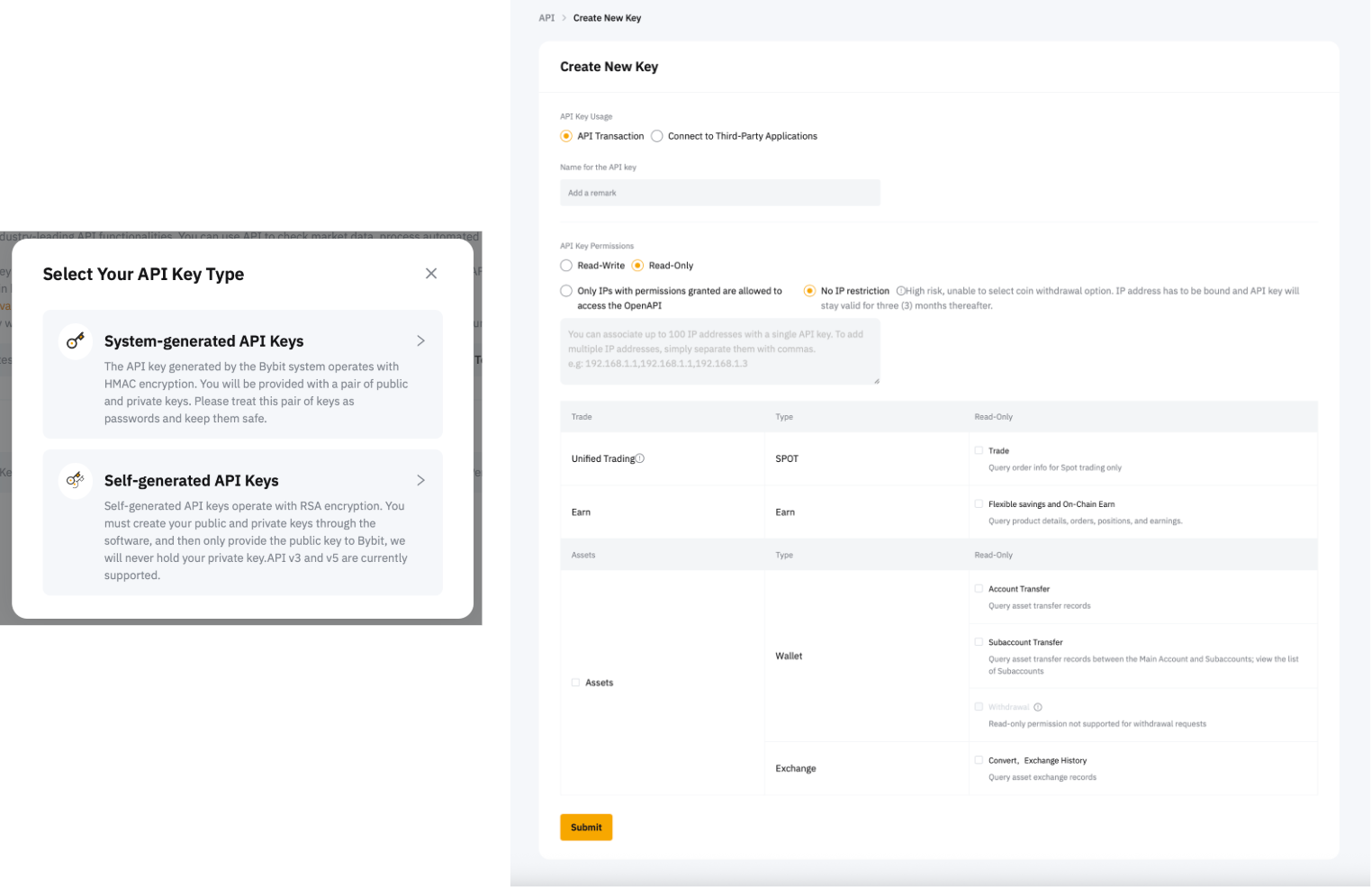
Step 3: The following pop-out window will appear. Please configure your API key according to your trading needs.
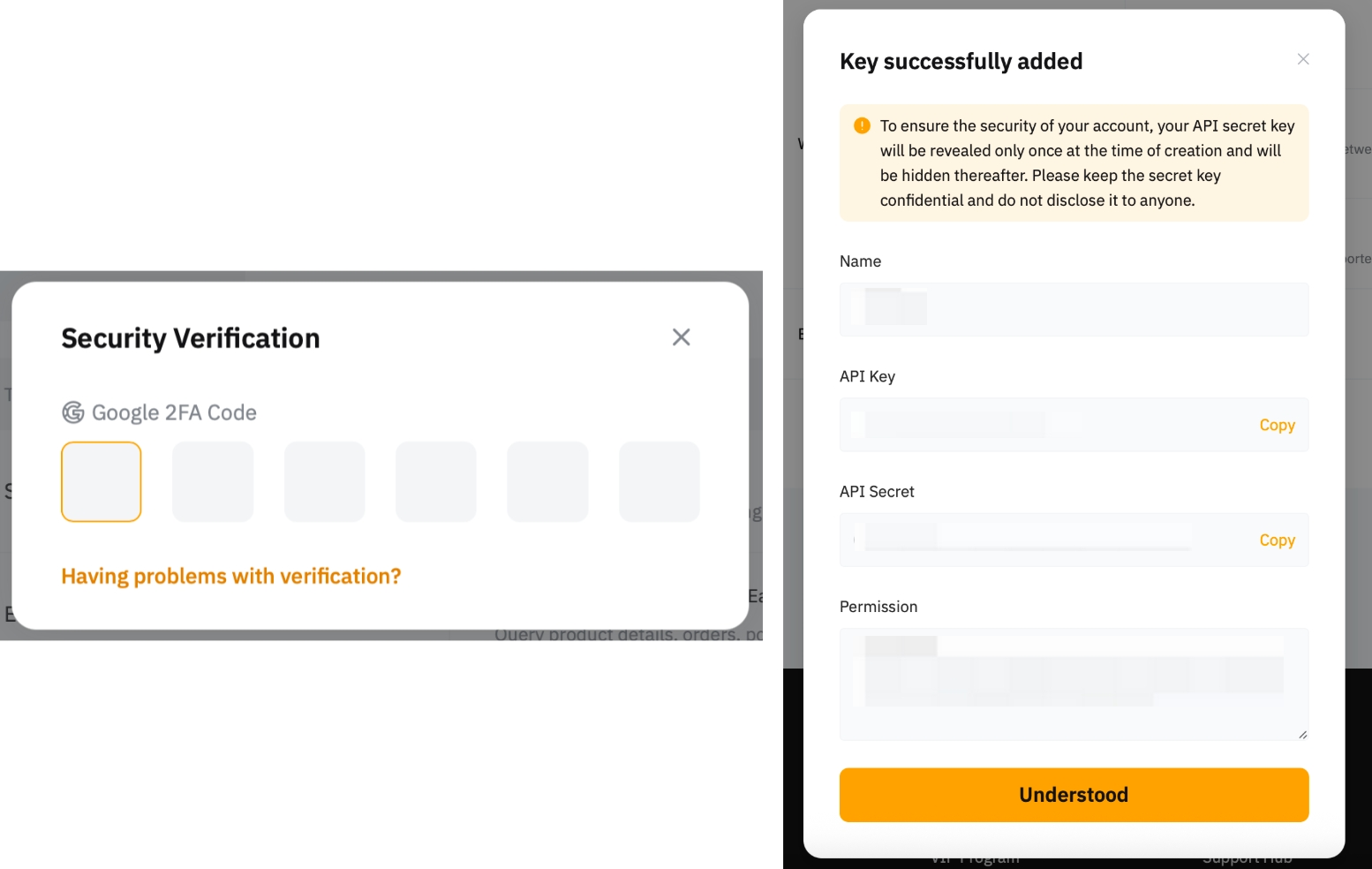
Step 4: Enter your Google Authenticator 2FA, and a pop-up window with details of your API Key will be shown. Click on Understood to proceed.
Note:
Your API Secret key will only be revealed once at the time of creation, so please ensure that it is stored safely and securely and do not disclose it to anyone.
You have successfully created your API key!